
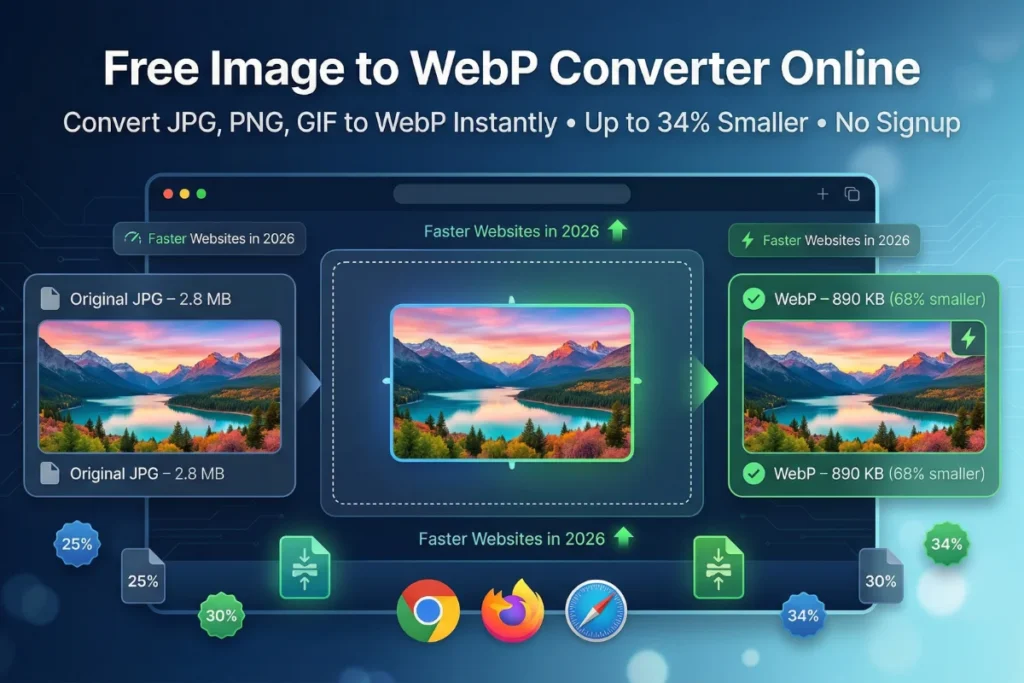
In today’s digital landscape, image optimization is no longer optional — it’s essential for ranking on Google and delivering lightning-fast user experiences. That’s exactly why our free image to WebP converter has become the go-to tool for webmasters, bloggers, e-commerce owners, and developers who want to slash file sizes without sacrificing quality. With a single click, the free online image to WebP converter transforms heavy JPG, PNG, GIF, BMP, and TIFF files into modern WebP format, often reducing sizes by 25–34% compared to JPEG and 26% compared to PNG. Best of all, everything happens locally in your browser — no uploads, no signup, and complete privacy.
WebP, developed by Google, is now the standard for next-generation web imagery in 2026. Our free image to WebP converter makes adopting it effortless. Whether you run a content-heavy blog or an online store with thousands of product photos, converting to WebP directly impacts Largest Contentful Paint (LCP), PageSpeed Insights scores, and ultimately your search rankings.
To implement everything discussed in this guide, you can start using our Free Image to WebP Converter right away. It allows you to convert JPG, PNG, GIF, and other formats into lightweight WebP images instantly, helping you reduce file sizes, improve loading speed, and boost your website’s overall SEO performance without any technical setup.
What Is WebP and Why Does It Matter in 2026?
WebP is a modern image format developed by Google’s engineering team specifically for the web. Unlike JPEG, which was created in 1992, or PNG, which dates back to 1996, WebP was engineered with contemporary internet speeds, device screens, and search engine requirements in mind.
At its core, WebP uses predictive coding technology — the same kind of intelligent compression that studies adjacent pixels and encodes only what changes between them. This results in image files that are dramatically smaller than their JPEG or PNG counterparts without sacrificing visual quality.
According to Google Developers, WebP achieves superior compression using predictive coding techniques.
Here is what makes WebP stand out in 2026:
Dual compression support. WebP supports both lossy and lossless compression. This means you can use it to replace a JPEG photo (lossy) and a PNG graphic with a transparent background (lossless) — with the same single format.
Transparency. Unlike JPEG, WebP supports alpha channel transparency, a feature previously only available in PNG files. This makes it perfect for logos, icons, and product photos with clean backgrounds.
Animation. WebP also supports animated images, making it a more efficient replacement for GIFs, which are notoriously heavy files.
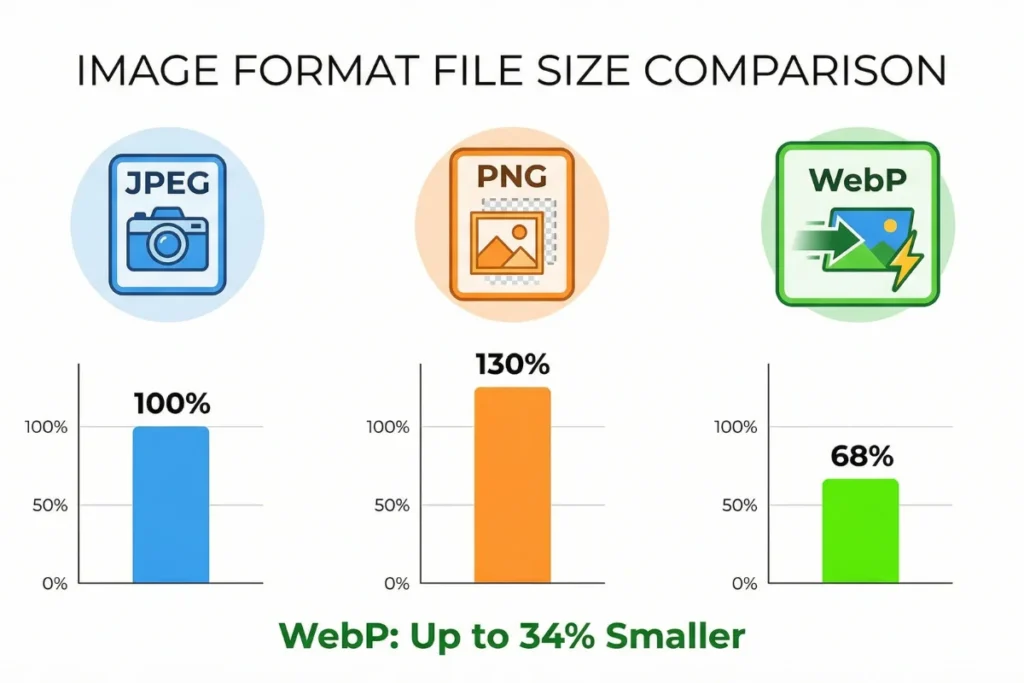
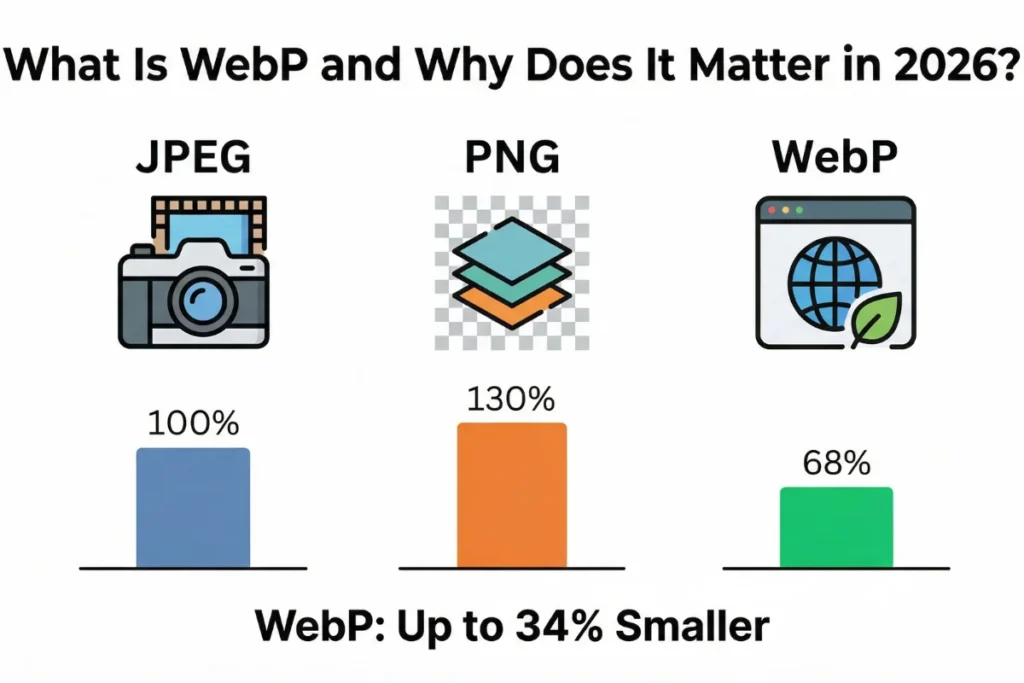
Proven size reduction. According to Google’s own data, WebP lossless images are 26% smaller than PNGs. WebP lossy images are 25 to 34% smaller than comparable JPEG images at equivalent quality levels. When you multiply those savings across an entire image library, the performance gain is enormous.
Universal browser support. As of 2026, every major browser — Chrome, Firefox, Safari, Edge, and Opera — fully supports WebP images. Early-adopter concerns about compatibility are now irrelevant for the vast majority of web users worldwide.
How the Free Image to WebP Converter Online at Website-Worth.org Works
Most online converters require you to upload your images to a remote server. This creates two serious problems: it puts your sensitive or proprietary images in someone else’s hands, and it makes the conversion speed entirely dependent on your internet upload bandwidth.
The free image to WebP converter online at Website-Worth.org is fundamentally different. It operates entirely inside your browser using the native Canvas API and modern JavaScript — no server upload required, no data leaving your device.
Here is the technical process, explained in plain English:
When you select an image, the browser’s FileReader API reads the raw image data directly into the page’s memory. The image is then drawn invisibly onto an HTML5 Canvas element — think of it as a digital drafting table. The browser’s built-in encoding engine then re-encodes that canvas data as a WebP file using the quality percentage you specified. If you chose to resize the image, the canvas is scaled to your target dimensions before encoding happens. For batch conversions involving multiple files, the tool processes each image in a queue and uses JSZip to package all of your converted WebP files into a single, downloadable ZIP archive.
The entire process happens locally and instantly, regardless of your internet speed. When you close the browser tab, all data is cleared automatically. Nothing is stored, transmitted, or logged.
Step-by-Step Guide: How to Use the Free Image to WebP Converter Online
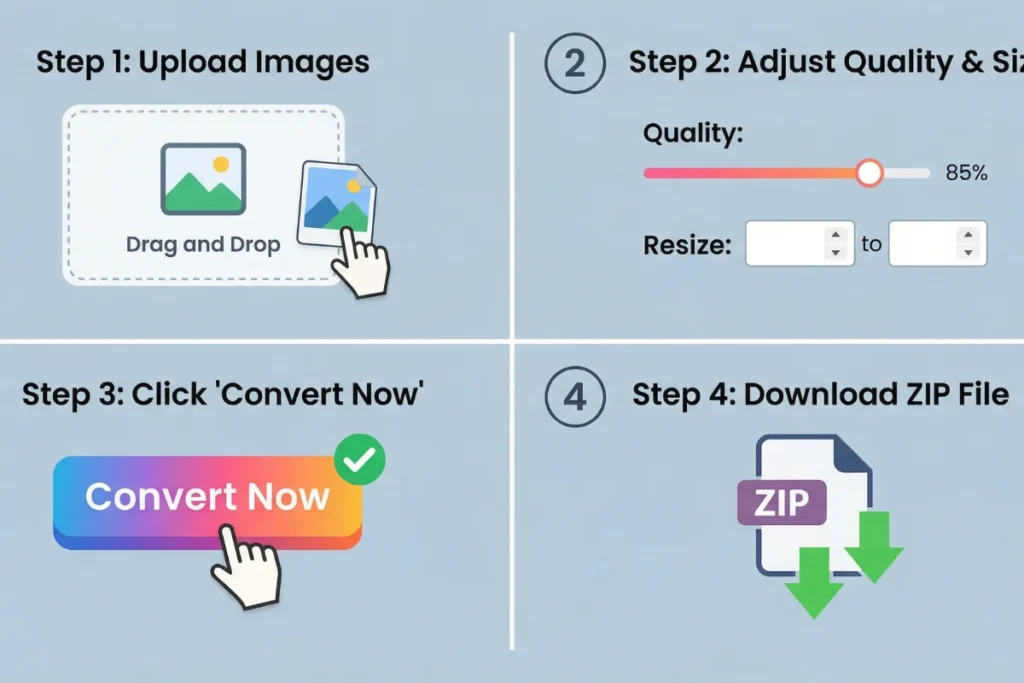
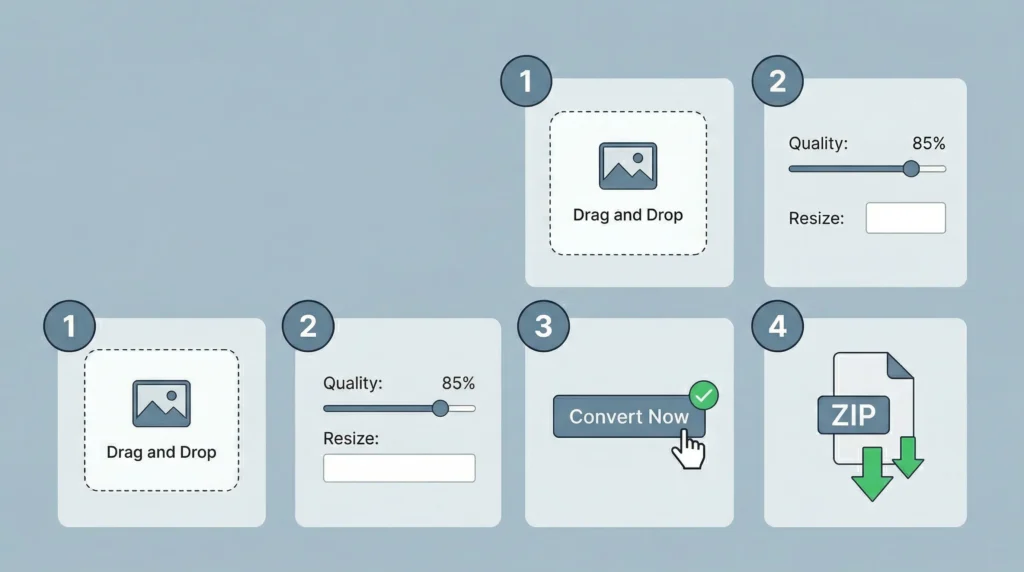
Using this tool requires no technical knowledge. Follow these four simple steps.
Step 1: Upload Your Images
Navigate to the free image to WebP converter online at website-worth.org/free-image-to-webp-converter/. You will see a large dashed upload area in the center of the page. You can either click the “Choose Images” button to open your device’s file manager, or simply drag and drop one or more image files directly into the dashed box. The tool accepts JPG, PNG, GIF, BMP, and TIFF formats. You can select a single image or dozens at once for bulk conversion.
Step 2: Configure Your Quality and Size Settings
Before converting, you have three powerful settings to adjust:
The Compression Quality slider defaults to 85%, which is the recommended starting point for most website images. A setting of 75% to 85% produces files that look virtually identical to the original while being dramatically smaller. Setting quality to 100% produces a near-lossless output with a slightly larger file size — ideal for print-ready assets or hero images where detail is critical.
Along with optimizing your images, it’s equally important to ensure your content is properly structured and meets ideal length requirements for SEO. Thin or overly long content can hurt rankings. Our Word & Character Counter helps you track word count, character limits, and reading time, ensuring your content is perfectly optimized to compete in search results while maintaining readability.
The Scale slider allows you to quickly reduce the pixel dimensions of your image as a percentage of the original. Most website layouts are between 800px and 1200px wide, so if your original photo is 4000px across, scaling it to 30% during conversion saves enormous additional space.
The Custom Width field lets you enter a specific pixel width. The tool maintains your original aspect ratio by default, ensuring your image does not appear stretched or squished after conversion.
Step 3: Convert and Review
Click the Convert Now button. For individual images, the tool immediately displays a side-by-side comparison showing the original file size versus the new WebP file size, along with the exact percentage of space saved. This instant feedback helps you fine-tune your quality settings before downloading.
Step 4: Download Your Optimized Files
For single images, click Download WebP. For bulk conversions, click Download All as ZIP to receive all of your converted files packaged neatly in one archive, ready to upload to your website’s media library.
Who Benefits Most From Converting Images to WebP?
The free image to WebP converter online at Website-Worth.org serves a wide range of users, from solo bloggers to enterprise development teams.
Website Owners and SEO Professionals
Google’s PageSpeed Insights tool lists “Serve images in next-gen formats” as one of its top optimization recommendations. When a page fails this audit, it receives a lower performance score, which directly affects its ability to rank on competitive keywords. By running your entire image library through this free image to WebP converter online, you address one of the most impactful PageSpeed recommendations with zero cost and minimal effort.
Independent tests confirm that WebP consistently outperforms traditional formats in compression efficiency.
For SEO professionals, this matters beyond just scores. Faster Largest Contentful Paint (LCP) times — one of the three Core Web Vitals metrics — directly correlate with higher organic rankings. A page that loads its primary image in 1.5 seconds will consistently outperform an identical page where the same image takes 3.2 seconds to load, all else being equal.
UI/UX Designers
Designers frequently work with high-resolution PNG exports from tools like Figma or Adobe XD. These files can easily reach 5MB to 15MB in size, making browser-based prototypes painfully slow. Converting design assets to WebP before sharing prototype links ensures stakeholders see smooth, fast-loading previews without needing to install anything.
Social Media Managers and Content Creators
Many content management systems and social platforms have strict file size upload limits. Converting graphics and photos to WebP allows content creators to meet those restrictions without sacrificing visual quality or re-editing their designs from scratch.
E-Commerce Store Owners
Product photography is the backbone of any online store. A clothing retailer with 500 product images in PNG format may have a media library exceeding 2GB. Converting that entire library to WebP through the bulk conversion feature can reduce that footprint to under 600MB, resulting in dramatically faster product page load times and improved mobile shopping experiences.
Software Developers
Development teams building web applications need optimized asset folders. Rather than opening each image in Photoshop and manually exporting as WebP, developers can drop their entire assets folder into this tool and download a ZIP of optimized files in minutes.
WebP vs. JPEG vs. PNG: A Definitive Comparison for 2026
Understanding the technical differences between image formats helps you make smarter decisions about when and how to optimize your assets.
Feature | JPEG | PNG | WebP |
Compression Type | Lossy only | Lossless only | Both lossy and lossless |
Transparency Support | No | Yes | Yes |
Animation Support | No | No | Yes |
Typical File Size | Large | Very Large | Smallest |
Browser Support (2026) | Universal | Universal | Universal |
Best Use Case | Photos | Graphics/logos | Everything |
JPEG has been the standard for photographic content for over three decades, and it does a decent job — but it was designed for a dial-up era. PNG was designed for lossless compression of graphics, but its file sizes are notoriously large, making it one of the biggest contributors to slow-loading web pages. WebP was purpose-built for the modern web and does both jobs better than either of its predecessors.
The conclusion for any website owner in 2026 is clear: there is no remaining reason to serve JPEG or PNG images when a free image to WebP converter online can transform your entire media library in minutes.
The Real SEO Impact of Switching to WebP Images
Converting your images to WebP is not merely a technical housekeeping task. It is a direct SEO investment with measurable ranking benefits.
Google has confirmed that Core Web Vitals are a ranking signal. Of the three Core Web Vitals metrics, LCP (Largest Contentful Paint) is most directly influenced by image optimization. LCP measures how long it takes for the largest visible element — usually a hero image or featured blog post photo — to fully load on screen. Google’s benchmark for a “Good” LCP score is 2.5 seconds or less. Pages that consistently meet this benchmark enjoy preferential treatment in organic search results.
Google has officially confirmed that Core Web Vitals are a ranking factor.
When you convert your images using the free image to WebP converter online at Website-Worth.org and re-upload the optimized files, your pages load faster, your LCP scores improve, your bounce rates decrease, and your time-on-site metrics increase. Search engines interpret all of these signals as evidence of a high-quality, user-friendly page — and they reward it with higher rankings.
Additionally, mobile search now accounts for more than 60% of all web traffic globally. Mobile connections are inherently slower and more bandwidth-constrained than desktop connections. Smaller WebP files are proportionally more beneficial on mobile, where the difference between a 1.2MB JPEG and a 380KB WebP image can be the difference between a visitor staying on your page and bouncing back to the search results.
If you’re investing time in optimizing your images and improving page speed, it’s important to understand how these improvements affect your overall digital asset. A faster, better-optimized site typically has higher value in the online marketplace. You can quickly estimate this using our Website Worth Calculator, which analyzes your traffic, performance, and monetization potential to give you a realistic valuation of your website.
Pro Tips for Getting the Most Out of Your WebP Conversions
Knowing how to use the tool is one thing. Knowing how to use it strategically is another. Here are the expert-level optimizations that separate beginner image management from professional-grade SEO work.
Audit your media library before converting. Before uploading everything at once, do a quick audit. Delete any images that are no longer in use. There is no point in converting and re-uploading files that are not referenced anywhere on your site.
Match image dimensions to your layout. The most common mistake website owners make is uploading a 3000-pixel-wide image to fill a 900-pixel-wide blog post container. The browser downloads the full 3000-pixel file and then scales it down in the browser — a massive waste of bandwidth. Use the Custom Width setting in the free image to WebP converter online to resize images to match your layout’s maximum display width before converting.
Use 75–85% quality for most content. This range is the sweet spot for web images. At 85% quality, WebP compression is so efficient that the difference between the compressed and original files is essentially invisible to the human eye at normal screen viewing distances. Reserve 90–100% quality settings for hero images, portfolio showcases, or product photography where fine detail is genuinely critical to the user’s decision-making.
Optimizing images alone is not enough to rank on Google — you also need the right keywords. Every image should include SEO-friendly file names, alt text, and surrounding content. To find these high-ranking search terms, you can use our Keyword Idea Generator, which helps you discover long-tail keywords your audience is actively searching for, allowing you to fully optimize both your visuals and written content.
Batch convert by category. Rather than dumping your entire media library into the tool at once, organize your conversion workflow by content type. Convert all blog post featured images together, then product photos, then graphics and illustrations. This makes it easier to upload the converted files back into the correct folders in your CMS.
Keep your originals. Always retain your original high-resolution JPEG or PNG files in a backup folder. If you need to re-crop or re-edit an image in the future, working from a WebP file will introduce additional compression artifacts. The WebP files are your web-optimized production assets; the originals are your editing masters.
Frequently Asked Questions About the Free Image to WebP Converter Online
Is this tool genuinely free with no hidden costs?
Yes. The free image to WebP converter online at Website-Worth.org is completely free to use. There are no subscriptions, no file size limits, no daily usage caps, and no account creation required. You can convert one image or one thousand images — the tool handles both without restriction.
Will my images lose quality during the conversion?
Not in any way that is visible to your website visitors. WebP’s predictive coding compression is significantly more sophisticated than JPEG’s DCT compression. At a quality setting of 85%, a WebP image will look identical to its JPEG original to the human eye while being 25 to 34% smaller. If you have concerns about quality loss for specific images, use the side-by-side comparison view the tool provides before downloading.
Do I need to create a login or account?
No. There is no signup required. You can use the free image to WebP converter online immediately, without providing your email address or any personal information.
Are my images safe when I use this tool?
Completely. Unlike most online converters, this tool never transmits your images to any server. All processing happens locally within your browser’s memory using the Canvas API. When you close the tab, the data is cleared automatically. Your images never leave your device.
Can I convert multiple images simultaneously?
Yes. The bulk conversion feature allows you to drag and drop as many files as you need. The tool processes them in sequence and packages all converted WebP files into a single ZIP archive for convenient download.
Which image formats can I convert from?
The tool accepts JPG/JPEG, PNG, GIF, BMP, and TIFF files as inputs and converts them all to the WebP format.
Conclusion: One Tool That Makes Your Website Faster, Leaner, and More Valuable
In the competitive landscape of SEO and digital publishing in 2026, every technical advantage matters. The gap between a website that loads in 1.5 seconds and one that loads in 3.5 seconds is not just a user experience difference — it is a ranking difference, a conversion rate difference, and ultimately a revenue difference.
The free image to WebP converter online at Website-Worth.org removes the most common excuse for not switching to WebP: the perception that it requires technical expertise, paid software, or a complicated workflow. It requires none of those things. You upload your images, set your quality preference, click convert, and download your optimized files. The entire process for a single image takes under thirty seconds.
According to global web usage reports, mobile traffic dominates internet usage worldwide.
Whether you manage a personal blog with a hundred images or an e-commerce store with thousands of product photos, the free image to WebP converter online gives you immediate access to a technology that Google actively recommends, that every major browser supports, and that consistently reduces file sizes by 25 to 34% compared to JPEG. That is not a marginal improvement — it is a transformative one.
Start converting your images to WebP today. Your visitors will notice the speed. Google will notice the performance. And your rankings will reflect both.
Published by Website-Worth.org — Tools and guides that help you grow, optimize, and maximize the value of your digital property.
Our Latest Articles
Free Image to WebP Converter Online: Convert JPG, PNG, GIF to WebP Instantly for Faster Websites in 2026
In today’s digital landscape, image optimization is no longer optional...
Read More
Free Online Word Counter Tool for SEO: Count Words, Track Characters & Time Your Content
If you have ever published a blog post, written a...
Read More
Free Keyword Idea Generator for Bloggers: The Ultimate 2026 Playbook
Every successful blog post starts with a single, powerful keyword....
Read More
How to Use Vibe Coding for Non-Technical Marketers: A Complete Guide
The gap between having a brilliant marketing idea and actually...
Read More
How to Make Money Online Using Mobile Phone Only for Beginners: The Ultimate 2026 Guide
How to make money online using mobile phone only for...
Read More
Website Profit Multiples in 2026: The Seller’s Secret Guide
In 2026, a standard content blog typically sells for 35x...
Read More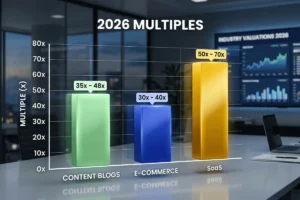
How to Check Website Worth for Free: A Complete Guide for 2026
If you have spent months or years building a blog,...
Read More