
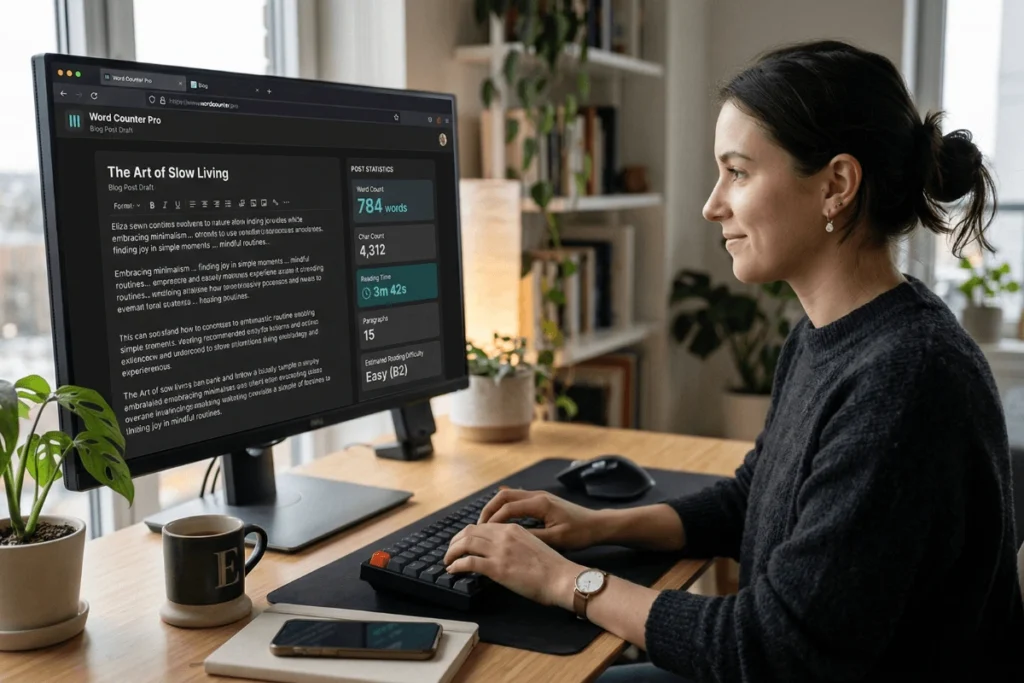
If you have ever published a blog post, written a meta description, or scripted a YouTube video, you already know that word count is not just a number — it is a performance signal. Search engines, content editors, and platform algorithms all pay attention to length, depth, and structure. And yet, most writers still guess.
That is where a free online word counter tool for SEO changes everything.
This guide walks you through exactly what a professional word counter does, why it matters for your search rankings, and how to use every feature to get the most out of your content — from your next blog post to your next podcast episode.
What Is a Word Counter Tool — and Why Does SEO Care?
A word counter is a text analysis tool that tallies the number of words, characters, sentences, and other measurable properties of a piece of writing. A basic version tells you how many words are in a document. An advanced one — like the free online word counter tool for SEO on this page — goes far further.
Here is why that matters for search engine optimization:
- Google rewards comprehensive content. Studies consistently show that pages ranking in positions one through three on Google average between 1,500 and 2,500 words for informational queries. Word count is not a direct ranking factor, but content depth — which word count reflects — absolutely is.
- Meta titles and descriptions have hard character limits. Titles over 60 characters get truncated in search results. Meta descriptions over 160 characters get cut off. If you cannot measure them precisely, you cannot optimize them.
- Speaking and reading time affect engagement. Visitors decide within seconds whether to stay on a page. Knowing that your article takes 8 minutes to read — or that your video script runs to exactly 10 minutes when spoken aloud — helps you calibrate content to your audience’s attention span.
A dedicated word counter makes all of this measurable, fast, and repeatable.
Key Features of This Free Online Word Counter Tool for SEO
1. Real-Time Word and Character Counting
The moment you paste or type your content, the counter updates live on every single keystroke. There is no submit button, no loading spinner. You see your word count, character count with spaces, and character count without spaces all simultaneously — the same way Google Docs and WordPress calculate them.
This real-time feedback is especially useful when optimizing meta titles and meta descriptions. You can trim or expand a single word and immediately see whether you have crossed the 60-character or 160-character threshold.
2. Reading Time Estimator
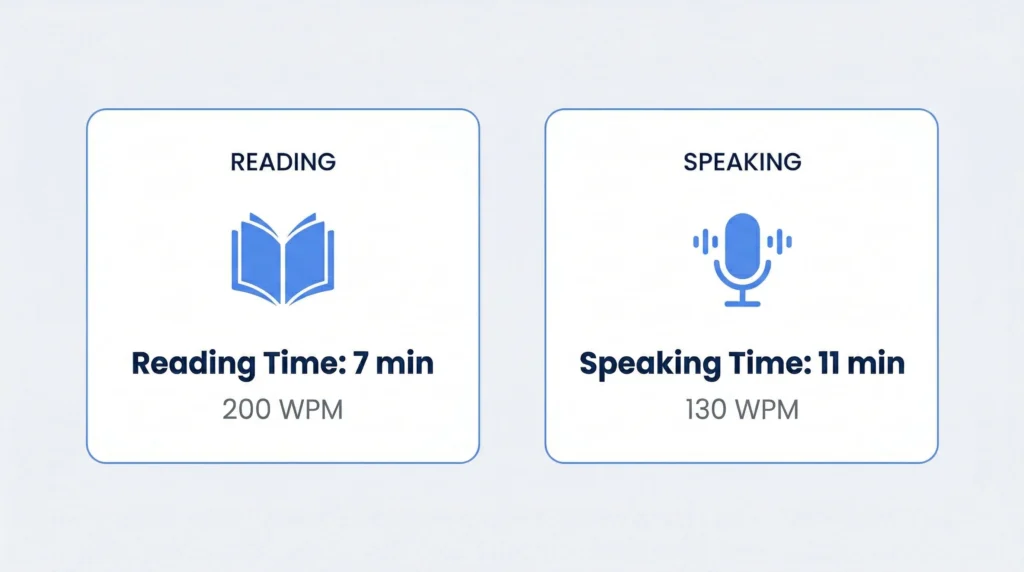
The tool calculates estimated reading time using the industry-standard pace of 200 words per minute (WPM) — the average speed at which most adults read focused, informational text. Platforms like Medium and Substack display reading time using this same benchmark.
Knowing your estimated reading time helps you:
- Validate that long-form SEO content (1,500+ words) delivers enough depth to justify the time investment
- Structure articles into scannable sections so readers can navigate without feeling overwhelmed
- Calibrate content to match user intent — a 2-minute read for a quick how-to, a 10-minute read for a comprehensive guide
3. Speaking Time Calculator
Speaking time is calculated at 130 WPM — the natural, clear delivery pace used by professional broadcasters, educators, and presenters. This is a different — and lower — number than reading speed, because spoken language includes natural pauses, emphasis, and breath.
This feature is invaluable for:
- YouTube creators: Script your video to hit the 8–10 minute sweet spot that triggers YouTube’s mid-roll ad eligibility
- Podcasters: Match segment length to planned episode durations without costly re-recordings
- Presenters and educators: Time your material to your allotted speaking slot before you go live
4. Find and Replace Editor
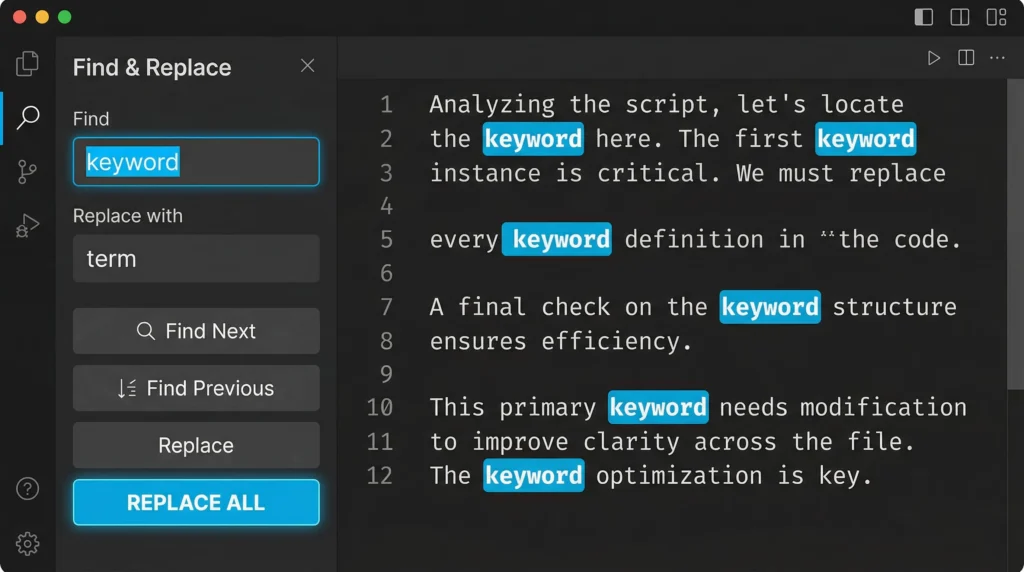
The built-in find-and-replace bar lets you search for any word or phrase and replace all instances in a single action. For SEO writers, this feature solves a specific and common problem: keyword density management.
If you have overused a target keyword — a pattern that search engines may treat as over-optimization — you can quickly locate every instance and replace some occurrences with natural synonyms or related terms. The result is more readable content with a healthier keyword distribution, all without manually scanning hundreds of lines of text.
5. Privacy-First Architecture
Unlike many free tools that process your text on remote servers, this word counter runs entirely in your browser using client-side JavaScript. Your content never leaves your device. There is no database, no account, and no data retention of any kind. Once you close or refresh the tab, the text is permanently gone.
This makes the tool safe for confidential drafts, proprietary business content, client work covered by NDA, and any writing you simply prefer to keep private.
6. One-Click Copy and Export
After editing and optimizing your content, copy the entire document to your clipboard in one click. Paste it directly into WordPress, HubSpot, Notion, Google Docs, or any CMS — with no formatting lost in the transfer.
How to Use the Word Counter for SEO: A Step-by-Step Walkthrough
Step 1 | Paste your draft into the editor. The word count, character count, and time estimates appear instantly. |
Step 2 | Check your word count against your target range. For competitive informational keywords, aim for 1,500 to 2,500 words. For short-tail queries, a focused 800–1,200 words may be appropriate. |
Step 3 | If you have a meta title or description, paste it separately and check character count. Keep titles under 60 characters and descriptions under 160 characters. |
Step 4 | Use find-and-replace to audit keyword frequency. Search for your primary keyword and count occurrences. If it appears excessively, replace some instances with natural variations. |
Step 5 | Check reading time. For long-form content, a reading time between 7 and 12 minutes typically signals comprehensive coverage without padding. |
Step 6 | Copy your finalized text and paste into your CMS. Publish with confidence. |
Using the tool effectively takes less than two minutes. Here is the exact workflow that SEO writers and content teams use to optimize a piece from rough draft to publication-ready:
SEO Word Count Guidelines: How Long Should Your Content Be?
There is no single correct answer to content length — the right word count depends on the query type, competition level, and user intent. That said, research and practice have produced some reliable benchmarks worth knowing.
Content Type | Recommended Word Count | Why It Works |
Long-form SEO article | 1,500 – 2,500 words | Demonstrates topical depth; tends to earn more backlinks and dwell time |
Pillar page / ultimate guide | 3,000 – 5,000+ words | Comprehensive coverage signals authority on a core topic |
Standard blog post | 800 – 1,200 words | Efficient for focused how-to content with a narrow scope |
Product page | 300 – 600 words | Enough for persuasive copy without diluting purchase intent |
Meta title | Under 60 characters | Prevents SERP truncation; preserves full visibility in search results |
Meta description | Under 160 characters | Ensures the full snippet appears in Google’s search results |
YouTube video script | 1,200 – 1,500 words | Corresponds to approximately 9–11 minutes at 130 WPM speaking pace |
The key principle is this: write to cover a topic completely, not to hit an arbitrary number. Use the word counter as a diagnostic tool — if you are at 700 words for a competitive informational keyword, you may not have covered the topic deeply enough. If you are at 4,000 words for a simple product description, you have likely drifted off-topic.
Who Benefits Most from a Free Online Word Counter Tool for SEO?
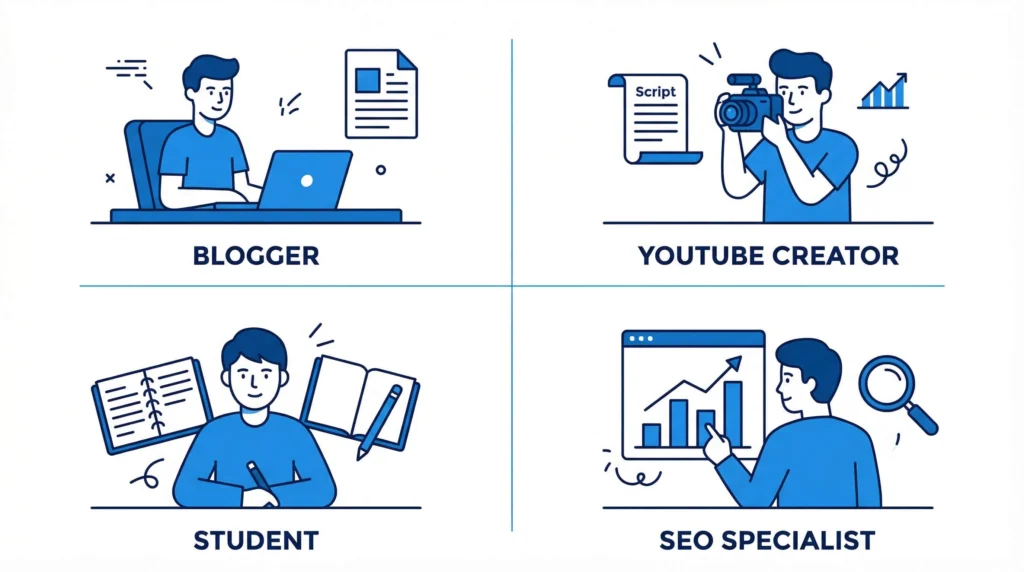
Bloggers and Content Writers
Hitting the right length for competitive rankings is one of the most consistent levers bloggers have. The word counter makes it effortless to check your draft against a target range before publishing — no guessing, no recounting after every revision.
SEO Specialists and Content Strategists
When you are managing content at scale — reviewing drafts, briefing writers, auditing existing pages — you need a fast, reliable way to check word counts without opening Google Docs or WordPress for every file. Paste, check, move on.
YouTube Creators and Podcasters
The speaking time feature alone makes this tool worth bookmarking. Script a 10-minute video, paste it in, and the tool tells you instantly whether you are on target or 90 seconds short. No more guessing at the recording studio.
Students and Academic Writers
Assignment word limits are enforced strictly in most academic institutions. Real-time tracking means you can write freely in your first draft, then trim with precision rather than panic-counting sentences the night before submission.
Email Marketers and Social Media Managers
Twitter/X, LinkedIn, and email subject lines all have character constraints that directly affect deliverability and engagement. The character counter keeps you within limits before you hit publish.
Why Browser-Based and Privacy-First Matters for Writers
Most free word counter tools you find through a quick search come with trade-offs: intrusive ads that interrupt your flow, server-side processing that uploads your text to a third-party database, or paywalls that unlock basic features only after you register.
A browser-based, privacy-first tool eliminates all three problems at once.
Processing happens entirely in your browser’s JavaScript engine, which means:
- Zero round-trip latency — stats update in real time with no network request
- Offline functionality — once the page loads, the tool works without an internet connection
- Complete data privacy — your drafts never touch an external server
- No account, no email, no registration — every feature is available the moment you open the page
For writers working with confidential content — client strategies, proprietary research, legal documents, unreleased product announcements — this architecture is not just a nice-to-have. It is a requirement.
Frequently Asked Questions
Is this word counter accurate for SEO purposes?
Yes. The tool uses the same white-space normalization method as Google Docs, WordPress, and most major CMS platforms. Consecutive spaces, line breaks, and tab characters are treated as a single word delimiter — which means the count you see here matches what your CMS and search engine crawlers measure.
What is the difference between reading time and speaking time?
Reading time is calculated at 200 WPM — the average adult silent reading pace, and the standard used by platforms like Medium. Speaking time is calculated at 130 WPM, which is the natural, clear verbal delivery rate used by broadcasters and presenters. Because spoken language includes pauses, emphasis, and natural breath, speaking time is always longer than reading time for the same piece of content.
Does the tool work on mobile?
Fully. The editor, stats panel, and find-and-replace bar are all responsive and optimized for touchscreen devices — including iOS and Android. All functionality is available without modification on smartphones and tablets.
Is there a word or character limit?
No practical limit. The tool handles any length of text — from a single meta title to a full-length book chapter. Performance depends on your device, but modern browsers process tens of thousands of words without noticeable lag.
Does the tool save my text between sessions?
No. Your text exists only in your browser’s memory for the duration of your session. When you close or refresh the tab, the content is permanently gone. This is by design — it is the privacy guarantee that makes the tool safe for confidential writing.
Final Thoughts: Make Word Count Work for Your SEO Strategy
Word count has always been a part of content strategy, but measuring it precisely and acting on it in real time is a newer habit — and one that separates writers who consistently rank from those who publish and hope.
A free online word counter tool for SEO gives you the feedback loop you need. Know your length before you publish. Check your meta title before it gets truncated. Time your script before you record. Replace overused keywords before they trigger a penalty.
It takes 30 seconds to use. The compounding effect on your content quality over months and years is significant.
Free SEO & Marketing Power-Tools
Website Worth Calculator
Get a real-time estimate of your website's market value based on traffic, authority, and revenue potential.
Keyword Idea Generator
Our Keyword Idea Generator is a free AI-driven tool built to extract high-intent, long-tail phrases from your content instantly.
Word & Character Counter
Get a real-time estimate of your website's market value based on traffic, authority, and revenue potential.
Latest Posts
Free Online Word Counter Tool for SEO: Count Words, Track Characters & Time Your Content
If you have ever published a blog post, written a...
Read More

Free Keyword Idea Generator for Bloggers: The Ultimate 2026 Playbook
Every successful blog post starts with a single, powerful keyword....
Read More
How to Use Vibe Coding for Non-Technical Marketers: A Complete Guide
The gap between having a brilliant marketing idea and actually...
Read More
How to Make Money Online Using Mobile Phone Only for Beginners: The Ultimate 2026 Guide
How to make money online using mobile phone only for...
Read More
Website Profit Multiples in 2026: The Seller’s Secret Guide
In 2026, a standard content blog typically sells for 35x...
Read More
How to Check Website Worth for Free: A Complete Guide for 2026
If you have spent months or years building a blog,...
Read More