

The gap between having a brilliant marketing idea and actually launching it has always been “the technical wall.” You want a custom calculator for your lead magnet? You need a developer. You need a specific automation to sync your CRM with a niche tool? You need a developer.
But in 2026, that wall is crumbling.
The rise of “vibe coding” is changing the game for marketing teams. You no longer need to spend weeks learning Python or SQL to build functional digital assets. If you can describe what you want in plain English, you can build it.
This guide will show you exactly how to use vibe coding for non-technical marketers to reclaim your time, slash your development costs, and ship faster than ever before.
What is Vibe Coding?
Vibe coding is a software development approach where the “coder” describes the desired outcome, look, and feel of an application using natural language, while an AI agent handles the actual writing, testing, and deployment of the code.
The term, popularized by AI researcher Andrej Karpathy, suggests a shift from “syntax-first” to “intent-first” creation. Instead of worrying about semicolons and brackets, you focus on the “vibe”—the user experience, the logic, and the end goal. For a marketer, this means you are no longer a “non-technical” bystander; you are the architect of the solution.
Why Vibe Coding Matters for Marketers
In the past, marketers were restricted by the templates provided by SaaS tools. If a feature didn’t exist in your landing page builder, you were out of luck. Vibe coding eliminates these constraints:
- Speed to Market: Go from a “what if” conversation to a live prototype in thirty minutes instead of three weeks.
- Hyper-Personalization: Create custom tools (like ROI calculators or interactive quizzes) that are specifically tailored to your campaign’s “vibe.”
- Cost Efficiency: Reduce the need for expensive freelance developers for simple internal tools or front-end experiments.
- Direct Control: No more “lost in translation” moments between the marketing brief and the technical execution.
How to Use Vibe Coding for Non-Technical Marketers: A Step-by-Step Guide
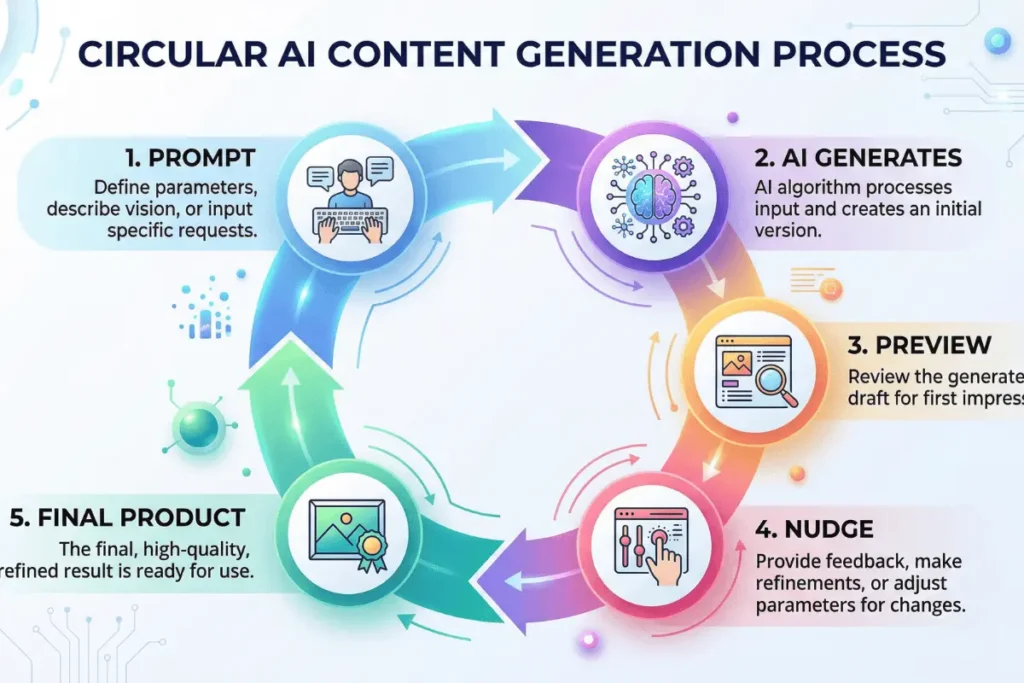
Ready to build? Follow this practical roadmap to start your first vibe coding project.
Step 1: Define Your “Vibe” (The Prompt)
Vibe coding starts with a high-level objective. Instead of thinking like a programmer, think like a product manager.
- Bad Prompt: “Make a form for my website.”
- Good Prompt: “Build a responsive lead capture page for a SaaS product. It needs a hero section with a bold headline, a 3-field email signup form that saves data to a CSV, and a ‘thank you’ message that appears without refreshing the page. Use a clean, modern aesthetic with Tailwind CSS.”
Step 2: Initialize Your Environment
You don’t need to install complex coding software. Tools like Replit or Lovable allow you to “vibe code” directly in your browser.
- Open your chosen tool (see the resources section below).
- Select “New Project.”
- Paste your detailed prompt into the AI chat interface.
Step 3: The Iterative Loop (The “Nudge”)
The AI will generate an initial version. It might not be perfect, and that’s okay. Vibe coding is a conversation.
- Observe: Click “Run” or “Preview” to see the live version.
- Nudge: If the button is too small, tell the AI: “The CTA button needs to be larger and bright orange.”
- Fix: If an error pops up, simply copy-paste the error back into the chat. The AI will diagnose and fix it for you.
Step 4: Connect the “Plumbing”
For marketers, data is everything. Ask the AI to connect your tool to the platforms you already use.
- “Add a script that sends these form submissions to my HubSpot portal via API.”
- “Integrate Google Analytics 4 tracking on every button click.”
Step 5: Vibe Deploying
Once the “vibe” is right, you need to go live. Most vibe coding platforms have a “Deploy” button. This handles the hosting, SSL certificates, and servers automatically. Within seconds, you have a live URL to share in your next email blast.
Essential Tools for Vibe Coding
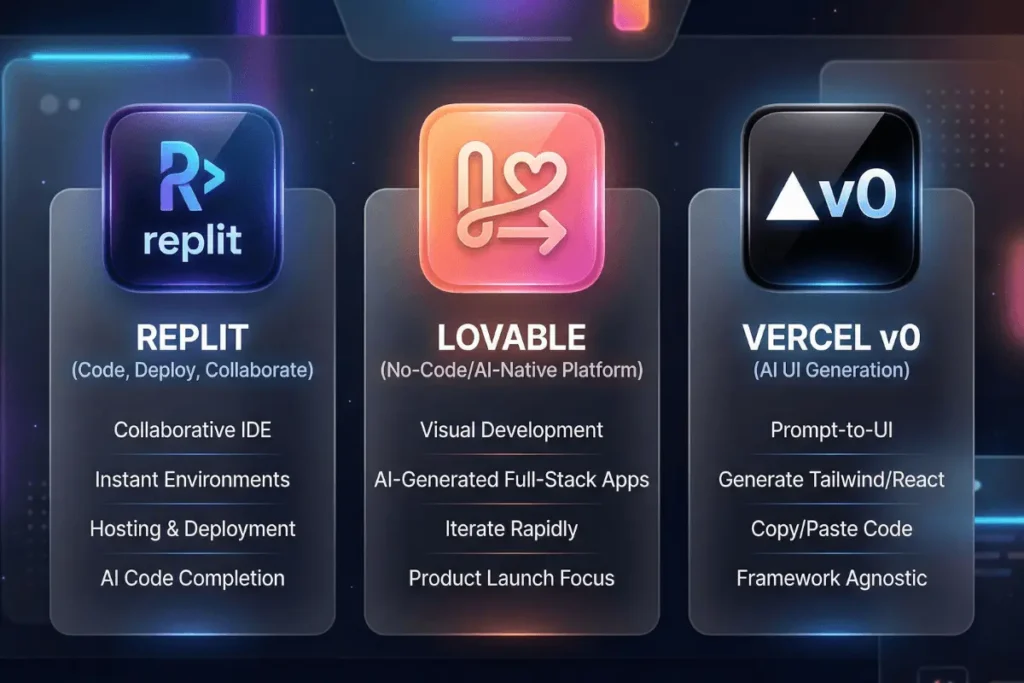
To succeed, you need the right “AI pair programmer.” Here are the best tools for marketers in 2026:
| Tool | Best For | Why Marketers Love It |
| Lovable | Web Apps & MVPs | Focuses heavily on design and “beauty” right out of the box. |
| Replit | Automation & Back-end | Great for “plumbing” tasks like syncing data between apps. |
| Vercel v0 | UI Components | Generates stunning website sections just by describing them. |
| Cursor | Advanced Content | An AI-first editor for those who want to see the code while it’s being built. |
Pro-Tip: Check out HubSpot’s guide to marketing automation to see where vibe-coded tools can fit into your existing funnels.
Common Mistakes to Avoid
- Vagueness: If you don’t describe the “vibe,” the AI will guess. Be specific about colors, fonts, and user flow.
- Skipping the Test: Always test your tool on a mobile device. AI sometimes forgets that marketers need “mobile-first” designs.
- Security Blind Spots: Avoid asking AI to handle sensitive PII (Personally Identifiable Information) or payments without a professional security review. For simple lead gen, it’s fine, but for “hard” data, proceed with caution.
- The “One-Prompt” Myth: Don’t expect perfection in one go. Expect to “nudge” the AI 5–10 times before it’s ready.
Final Pro Tips for Success
- Use “Reference Images”: Many vibe coding tools allow you to upload a screenshot. Take a photo of a website you love and tell the AI: “Build a landing page with this exact layout but for my brand.”
- Leverage “Cursor Rules”: If you use the Cursor editor, set “rules” that tell the AI to always use your brand’s hex codes and tone of voice.
- Internal Link Suggestion: Once you’ve built your tool, learn how to [optimize your landing page SEO] to drive traffic to it.
Frequently Asked Questions (FAQ)
Do I need to know any HTML to use vibe coding?
No. While knowing basic terms helps, the entire point of vibe coding is to use natural language. If you can explain it to a human, you can explain it to the AI.
Is vibe coding better than using No-Code tools like Bubble?
It’s different. No-code tools have a learning curve for their specific interfaces. Vibe coding has almost zero learning curve because it uses English. It is also more flexible because you aren’t limited by a tool’s pre-built widgets.
Is the code produced by AI actually good?
In 2026, AI-generated code is remarkably clean for front-end tasks and simple logic. However, for massive, enterprise-scale applications, you should still have a developer perform a “vibe check” or code audit.
Conclusion
Vibe coding is the ultimate equalizer. It takes the power of creation out of the hands of the “technical elite” and gives it to the people with the ideas—the marketers. By following the steps above, you can stop waiting for dev tickets to be cleared and start shipping custom solutions today.
Your Action Step: Go to Lovable or Replit today and try to build a simple “Marketing Budget Calculator” using nothing but your “vibes” and a prompt. You’ll be amazed at what you can create in under 10 minutes.