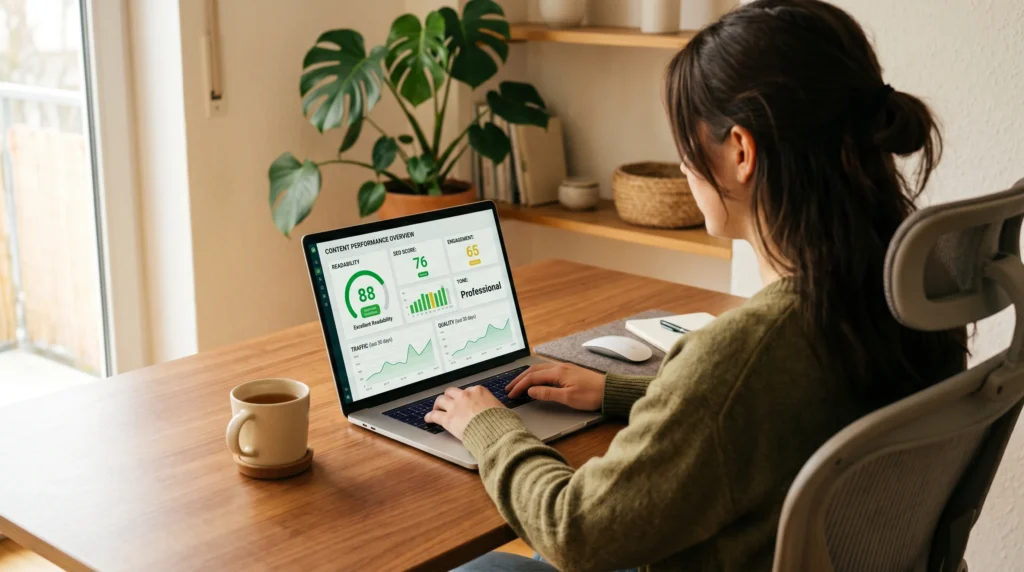
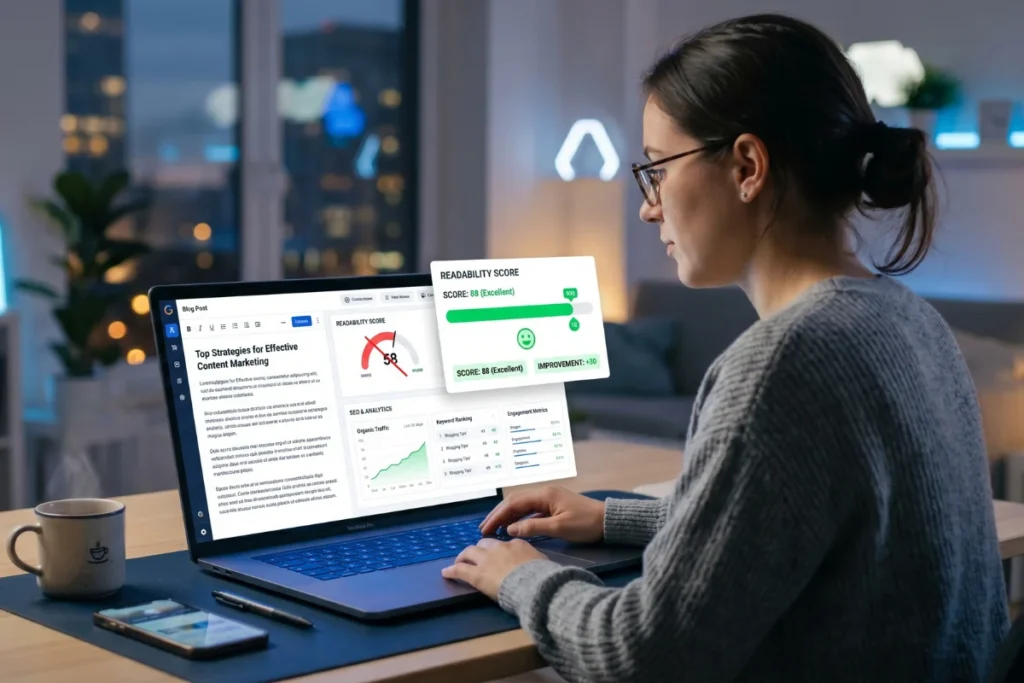
Think about the last time you landed on a page packed with dense paragraphs, jargon-heavy sentences, and zero white space. You probably left within seconds. So did everyone else. Google noticed — and it punished that page in the rankings. improve readability score for SEO is not just a writing quality metric; it directly affects your bounce rate, dwell time, and ultimately your search visibility.
Your content isn’t ranking — and you’ve tried everything. Better keywords. More backlinks. Longer posts. Yet Google still ignores you. Here’s what most bloggers never check: readability. It might be the silent killer of your SEO. The good news? You can improve readability score in under five minutes — and this guide shows you exactly how, step by step.
In this guide, you’ll learn what a readability score actually means, why yours might be low right now, and how to fix it using proven content readability tips — including our free Readability Checker Tool that does the heavy lifting for you. No technical background needed. Let’s get into it.
📘 What Is a Readability Score?
A readability score is a numerical measurement of how easy or difficult your text is to read. It analyzes factors like sentence length, word complexity, syllable count, and paragraph structure to produce a score that corresponds to a reading grade level or ease rating.
The most widely used formula is the Flesch Reading Ease score, developed by Rudolf Flesch in 1948. It produces a number between 0 and 100. The higher the score, the easier your content is to read. You can read more about how the Flesch–Kincaid readability tests work and the math behind the formula. Most successful blogs and online articles aim for a Flesch reading score between 60 and 70 — roughly the level of a 13–15-year-old reader. That might sound basic, but it’s actually the sweet spot where the widest possible audience can engage with your content without friction.
Quick fact: The average adult in the US reads at a 7th–8th grade level. Writing above that level — even for an educated audience — increases cognitive load and drives readers away.
Why Does Google Care About Readability?
Google’s core mission is to surface the most helpful, user-friendly content for every search query. When readers struggle with your text, they leave fast — spiking your bounce rate and cutting your average session duration. Both of these are behavioral signals that Google uses to evaluate page quality. You can learn more about how Google defines helpful, people-first content in its official Search documentation. Low readability = poor user experience = lower rankings. It’s a direct chain reaction that many content creators overlook entirely.
The simplest way to improve readability score is to write the way you talk. Short words. Short sentences. Clear ideas. You don’t need to be a professional writer to do this — you just need to be deliberate. Every small clarity improvement adds up to a score Google rewards.
Beyond algorithms, readability also boosts social sharing, repeat visits, and on-page conversions — all of which compound your organic authority over time. In short, if you want to improve readability score, you’re not just making your writing prettier — you’re making a measurable SEO investment.
The good news is that once you know which mistakes to avoid, you can improve readability score in a single editing pass. You don’t need to rewrite your entire article from scratch. Targeting just sentences over 20 words and swapping five complex words per page is often enough to move your score into the ideal range.
⚠️ Why Your Readability Score Is Low
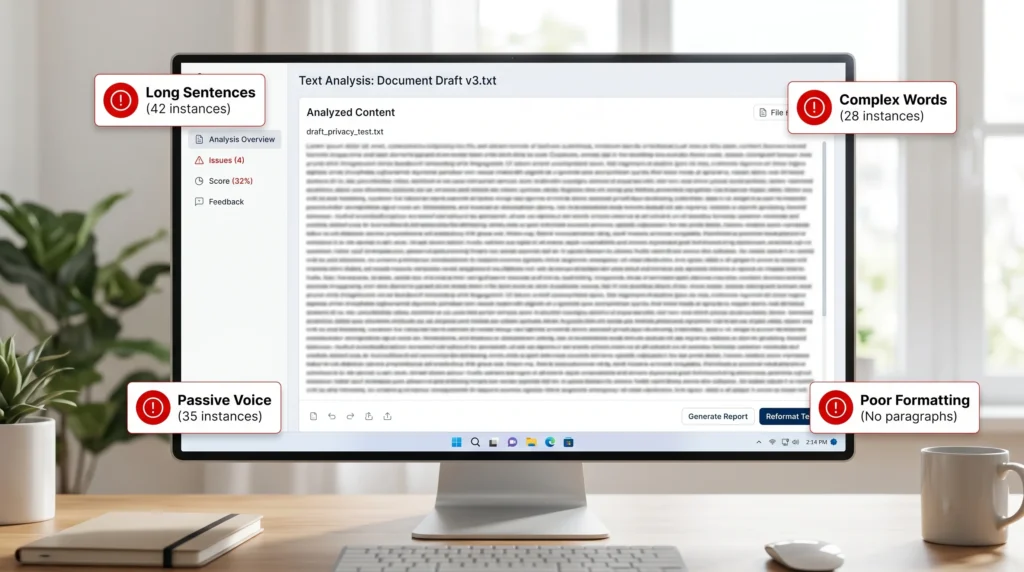
Before you can fix the problem, you need to understand what’s causing it. Here are the four most common culprits that drag content readability scores into the danger zone:
1. Long, Run-On Sentences
This is the number-one offender. When a single sentence contains multiple clauses, parenthetical asides, qualifications, and auxiliary thoughts — all strung together with commas, semicolons, and conjunctions — readers lose the thread before they reach the period. The Flesch formula penalizes sentences over 20 words significantly. Aim for an average of 15 words per sentence across your content.
2. Complex or Jargon-Heavy Words
Words with three or more syllables — called “polysyllabic words” — increase reading difficulty dramatically. Industry jargon makes this worse. If your audience has to stop and think about what a word means, you’ve already lost them. “Use” beats “utilize.” “Show” beats “demonstrate.” “Help” beats “facilitate.” Simpler is always stronger online.
3. Passive Voice Overuse
Passive voice creates distance and ambiguity. “The article was written by the editor” is harder to process than “The editor wrote the article.” Passive constructions add unnecessary words and slow the cognitive pace of your writing. Most readability tools flag high passive voice usage as a readability problem — and for good reason. The Grammarly guide on passive voice explains the difference with clear examples if you want to go deeper on this topic.
4. Poor Formatting and Visual Structure
Walls of text are a readability disaster. When readers see a page without headings, subheadings, bullet points, or white space, they feel a psychological resistance before reading a single word. Proper formatting doesn’t just look nicer — it literally improves how the brain processes information, making your content feel easier even before it’s read.
If your content scores below 50 on the Flesch scale, most readers will find it difficult or very difficult to follow. That’s a serious barrier to engagement — and a red flag for search engines evaluating your content quality.
🚀 How to Improve Readability Score: 5 Steps That Work
Here is the exact process to improve readability score fast — even if you’ve already published your content. Each step is practical, beginner-friendly, and takes just a few minutes to apply.
STEP 1. Run Your Content Through a Readability Checker
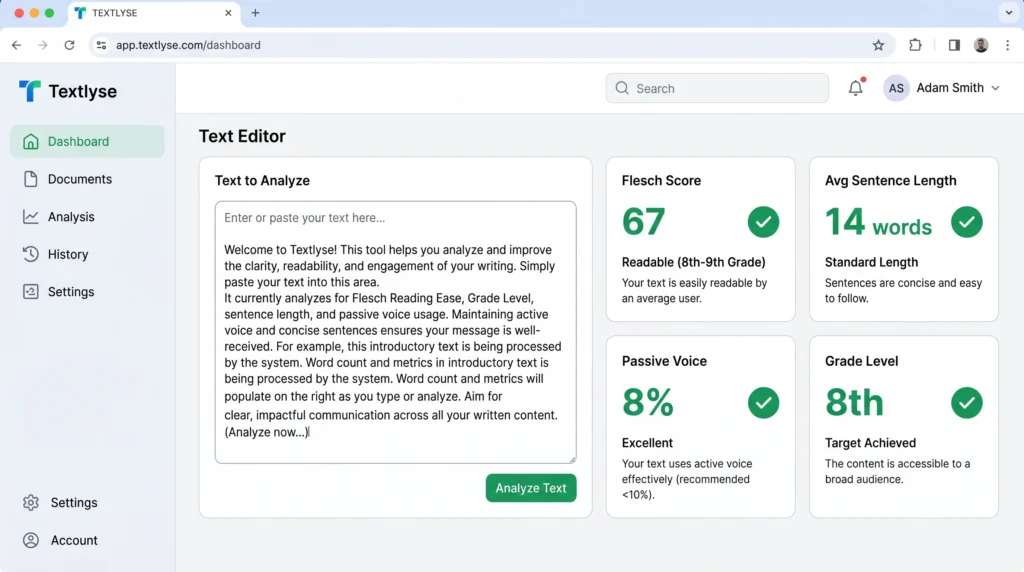
You can’t fix what you don’t measure. The very first thing you should do is paste your content into a Readability Checker Tool. Our free tool analyzes your text instantly and gives you a Flesch reading score, sentence length breakdown, passive voice percentage, and grade level — all in one dashboard.
This baseline score tells you exactly where your content stands and what specific areas need the most work. Don’t guess. Measure first, then improve.
Example: You paste a 1,200-word blog post into the Readability Checker Tool. It shows a Flesch score of 42 — “Difficult.” The tool flags 14 sentences over 25 words and a passive voice rate of 38%. Now you know exactly what to fix.
STEP 2. Shorten Your Sentences
Go through your content and find every sentence longer than 20 words. Split them. It’s that simple. Use a full stop where you’d normally use a comma or conjunction. Short sentences are punchy, clear, and far easier to process at scanning speed — which is how most people read online.
Example:
Before: “In order to effectively optimize your blog content for search engines, it is important to consider a wide range of factors including keyword placement, meta descriptions, internal linking, and of course, the overall readability of your writing.”
After: “To optimize your blog content for search engines, you need to consider several factors. These include keyword placement, meta descriptions, internal linking, and readability.”
The second version is easier to read — and scores significantly higher on any readability checker.
STEP 3. Swap Complex Words for Simple Ones
Every time you write a long or technical word, ask yourself: is there a simpler version? Your goal is not to sound intelligent — it’s to communicate clearly. Here’s a quick reference to guide you when editing for content readability:
- “Utilize” → “Use”
- “Demonstrate” → “Show”
- “Facilitate” → “Help”
- “Approximately” → “About”
- “Initiate” → “Start”
- “Terminate” → “End”
- “Subsequent” → “Next”
- “Endeavor” → “Try”
Run your edited text through the Readability Checker Tool again after this step. You’ll often see a jump of 5–10 points just from word simplification alone.
STEP 4. Add Headings, Subheadings, and Bullet Points
Break your content into scannable sections. Use an H2 heading for every major topic. Use H3 for subtopics within those sections. Use bullet points or numbered lists wherever you’re presenting a series of items, steps, or features. This restructuring does two things: it dramatically improves visual readability, and it signals content structure to Google’s crawlers — helping your readability score for SEO on both fronts. Google’s own structured content guidelines for articles confirm that clear heading hierarchies improve how pages are indexed and understood.
Rule of thumb: No block of text should run longer than 4 lines without a visual break — whether that’s a new paragraph, a heading, a list, or white space.
STEP 5. Eliminate Passive Voice
Find sentences where the subject is acted upon rather than acting. A simple trick: if you can add “by zombies” to the end of a sentence and it still makes grammatical sense, it’s passive voice.
“Mistakes were made [by zombies].” ← Passive. Fix it: “We made mistakes.”
Your readability checker will show you your passive voice percentage. Aim to keep it under 10%. Active voice is faster, clearer, and stronger — the three qualities that both readers and search engines reward.
📊 Flesch Readability Score Chart Explained
Use this reference table to understand what your current score means — and what to aim for based on your content type and audience.
| Flesch Score | Difficulty Level | Grade Level | Best For | SEO Suitability |
|---|---|---|---|---|
| 90 – 100 | Very Easy | 5th Grade | Children’s content, SMS | Acceptable |
| 70 – 90 | Easy | 6th Grade | Conversational blogs, social media | Good |
| 60 – 70 | Standard | 7th–8th Grade | Most blogs, news articles, how-to guides | Best for SEO ✓ |
| 50 – 60 | Fairly Difficult | 10th–12th Grade | Professional/niche content | Use with caution |
| 30 – 50 | Difficult | College level | Academic papers, legal docs | Avoid for blogs |
| 0 – 30 | Very Difficult | Post-graduate | Scientific journals | Not suitable |
The 60–70 range is the sweet spot for SEO blogs. It’s accessible enough for the widest possible audience while still sounding polished and professional. This is the range your Readability Checker Tool will highlight as your target when you analyze your content.
✍️ Real Example: Before vs. After Readability Improvement
Theory is one thing. Let’s see what improving readability actually looks like in practice. Here’s a real paragraph transformation — the kind of edit you can make in under two minutes using our Readability Checker Tool as a guide.
Before — Flesch Score: 28 (Very Difficult)
“The implementation of a comprehensive content readability optimization strategy is a multifaceted undertaking that necessitates the consideration of numerous interdependent variables, including syntactic complexity, lexical density, and the utilization of hierarchical structural elements, all of which collectively exert a significant influence upon the end-user experience and, by extension, the organic search performance of the aforementioned content.”
After — Flesch Score: 67 (Standard)
“Improving your content’s readability is easier than it sounds. You need to focus on three things: shorter sentences, simpler words, and clear headings. Get these right, and your readers will stay longer — and Google will rank you higher.”
Same core idea. Completely different impact. The “after” version is 60% shorter, three times clearer, and will dramatically outperform the original in both engagement and search rankings. This is what it means to genuinely improve readability score — not just trimming words, but restructuring how you communicate entirely.
Notice how the improved version also uses active voice throughout, keeps every sentence under 20 words, and avoids any word with more than three syllables. These aren’t accidents — they’re deliberate applications of the content readability tips in this guide
Every piece of content you publish is an opportunity to improve readability score and widen your audience. Even a small jump — from 45 to 62 on the Flesch scale — can reduce your bounce rate noticeably and increase average time on page. These behavioral improvements feed directly into your SEO rankings over time. Small edits, compounding results.
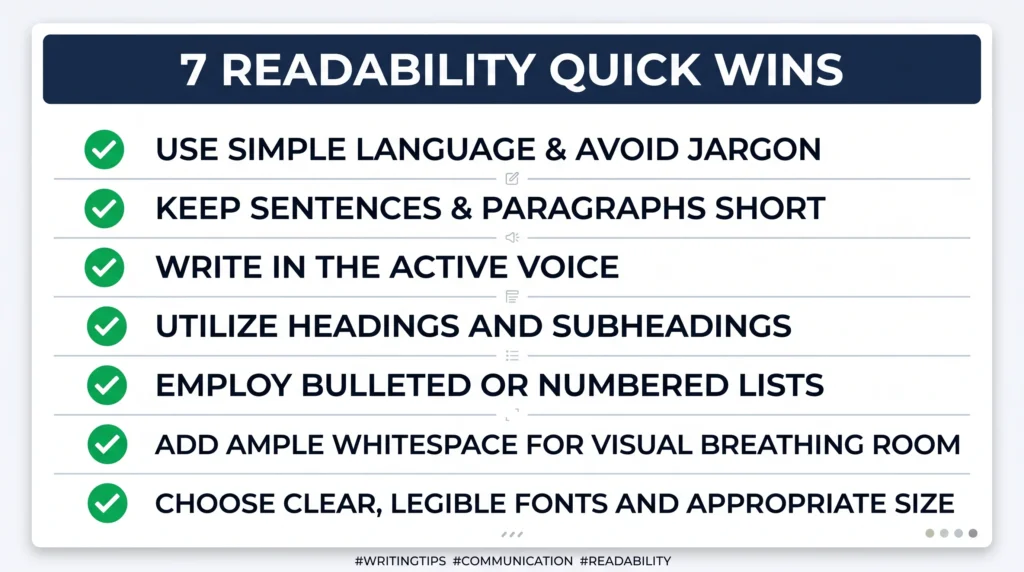
💡 Pro Tips to improve readability score Quickly
Once you’ve applied the five core steps, these additional content readability tips will push your score even higher — often without significant rewriting:
- Write like you speak. Read your content aloud. If you stumble over a sentence, your reader will too. Rewrite anything that sounds unnatural when spoken.
- Use contractions. “Don’t” instead of “do not.” “You’ll” instead of “you will.” Contractions make your writing feel conversational and approachable — which directly improves how to improve readability score.
- Vary sentence length intentionally. Mix short punchy sentences with medium ones. Never stack long sentences back to back. The rhythm of varied lengths keeps readers moving forward.
- Use transition words. Words like “however,” “in other words,” “for example,” and “as a result” help readers follow your logic without effort. They’re a surprisingly powerful readability tool.
- Limit paragraphs to 3–4 lines max. On mobile screens, even a 4-line paragraph can feel dense. White space is a readability asset — never waste it. The Nielsen Norman Group’s research on how users read on the web shows that people scan rather than read — short paragraphs align with this behavior perfectly.
- Use numbers and data as anchors. Specific numbers (“5 steps,” “67% of readers”) create cognitive anchors that make content feel concrete and scannable.
- Run a second check after editing. Always re-run your content through the Readability Checker Tool after making changes to confirm your score has improved and spot anything you missed.
🔗 Boost Your Content Quality Further
Readability is one piece of the SEO puzzle. To get the full picture of your content’s search performance, combine your readability improvements with these complementary tools:
Analyze your full on-page SEO performance — titles, meta tags, headings, and more to improve readability score
Check how often your focus keyword appears and whether it’s over- or under-used.
Rephrase complex sentences automatically to instantly improve flow and clarity.
Using these tools together gives you a complete content audit workflow — from readability and keyword density to overall SEO health. It’s the fastest way to turn underperforming content into pages that genuinely rank.
❓ Frequently Asked Questions
What is a good readability score for a blog?
A Flesch Reading Ease score between 60 and 70 is ideal for most blogs and general-audience websites. This range corresponds to a 7th–8th grade reading level — accessible to the widest possible audience while still sounding credible and well-written. If you write for a more technical niche, a score of 50–60 may be acceptable, but always lean toward clarity where possible.
Does readability affect SEO?
Yes — indirectly but significantly. Google doesn’t directly use a readability score as a ranking factor, but readability strongly influences the behavioral signals Google does measure: bounce rate, time on page, pages per session, and return visits. Well-written, easy-to-read content keeps users engaged, which signals quality to search engines. Better readability = better user experience = stronger SEO performance over time.
How can I improve readability score quickly?
The fastest way to improve readability score is to: (1) run your content through a Readability Checker Tool to identify problems, (2) split long sentences into shorter ones, (3) replace complex words with simpler alternatives, and (4) add headings and bullet points to break up text. These four changes alone can move your score by 10–20 points within minutes.
What is the Flesch Reading Ease score?
The Flesch Reading Ease score is a readability formula developed by Rudolf Flesch that scores text on a scale from 0 to 100 based on average sentence length and the average number of syllables per word. A score of 100 means the text is extremely easy to read; a score of 0 means it’s practically unreadable. Most successful blogs aim for a score of 60–70.
Which readability checker tool is best?
Our free Readability Checker Tool is purpose-built for bloggers and content creators. It gives you a Flesch score, highlights problematic sentences, flags passive voice, shows your average sentence length, and provides a grade level — all in one place. No signup required, no word limits, and results in under three seconds.
improve readability score matter for technical content?
Yes, even technical content benefits from readability improvements. You don’t have to dumb down your expertise — you just need to present it clearly. Use short sentences to explain complex ideas, define technical terms when you introduce them, and use formatting to help readers navigate dense information. Even a technical audience appreciates content that’s easy to scan and understand quickly.
How often should I check my content’s readability?
Check readability every time you create new content — before you publish it. For existing content, audit your top-traffic pages quarterly and update any that score below 60. If you’re repurposing or refreshing old content, always run a readability check as part of the process. Making it a consistent habit will compound your SEO results significantly over time.
Is passive voice always bad for readability?
Not always — but overuse hurts readability significantly. Passive voice has legitimate uses (when the actor is unknown, or when you want to emphasize the object of an action), but when it becomes a default writing habit, it makes text feel indirect, wordy, and harder to process. Aim to keep passive voice usage under 10% of your sentences for the best readability outcomes.
Does improve readability score help with voice search?
Absolutely. Voice search queries are almost always conversational and simple in structure. Content written at a conversational reading level — with short sentences and natural language — is far more likely to be selected as a voice search result or featured snippet. According to Backlinko’s voice search SEO study, the average voice search result is written at a 9th grade reading level — meaning simpler content wins. Improving your readability score effectively doubles as optimization for voice and conversational search.
Do images and videos affect readability score?
Not directly in terms of the Flesch formula, which only analyzes text. However, images, videos, infographics, and other visual elements significantly improve the overall reading experience by breaking up text, illustrating concepts, and giving readers visual anchors. From an SEO standpoint, multimedia improves dwell time — which complements your text readability improvements perfectly.
🎯 Ready to Improve Readability Score?
Stop guessing whether your content is easy to read. Paste your text into our free Readability Checker Tool and get your Flesch score, sentence analysis, passive voice report, and grade level in under 3 seconds.
How to Quickly Improve Readability Score in 5 Minutes (Step-by-Step Guide for Total Beginners)
Think about the last time you landed on a page...
Read MoreHow to Start a Profitable Niche Blog in 2026: The Ultimate $10k/Month Blueprint
If you have ever wondered how to start a profitable...
Read MoreTop 10 Free Keyword Research Tools for Beginners in 2026
Are you a beginner struggling to find good keywords without...
Read MoreMake Money Online with AI Tools for Beginners in 2026: Complete Guide
Why 2026 Is the Best Year to Start The internet...
Read More10 Micro SaaS Ideas with Revenue Examples That Make $1K–$10K MRR
Discover 10 proven micro SaaS ideas with revenue examples making...
Read More10 Best Free SEO Tools for Small Businesses in 2026 (Boost Rankings Fast)
Small business owners in 2026 face a tough challenge: ranking...
Read MoreFree Image to WebP Converter Online: Convert JPG, PNG, GIF to WebP Instantly for Faster Websites in 2026
In today’s digital landscape, image optimization is no longer optional...
Read MoreFree Online Word Counter Tool for SEO: Count Words, Track Characters & Time Your Content
If you have ever published a blog post, written a...
Read MoreFree Keyword Idea Generator for Bloggers: The Ultimate 2026 Playbook
Every successful blog post starts with a single, powerful keyword....
Read MoreHow to Use Vibe Coding for Non-Technical Marketers: A Complete Guide
The gap between having a brilliant marketing idea and actually...
Read More