
Top 8 Free Online Tools to Compress and Resize Images in Seconds

free online tools to compress and resize images

Is Your Website Slow Because of Heavy Images?

You’ve poured your heart into building a stunning website with top-tier content. However, if your pages load with the agonizing crawl of a 2005 dial-up connection, you have a serious problem. In the modern digital landscape, speed isn’t just a luxury—it’s a requirement for survival.

Nine times out of ten, the primary culprit behind sluggish performance is large, unoptimized media files. A single high-resolution photograph can easily reach 5–10 MB. When you multiply that across a gallery or a blog post, you create a massive data burden that forces visitors to hit the “back” button. Beyond the user experience, search engines like Google penalize slow-loading sites, burying your hard work in the search rankings.

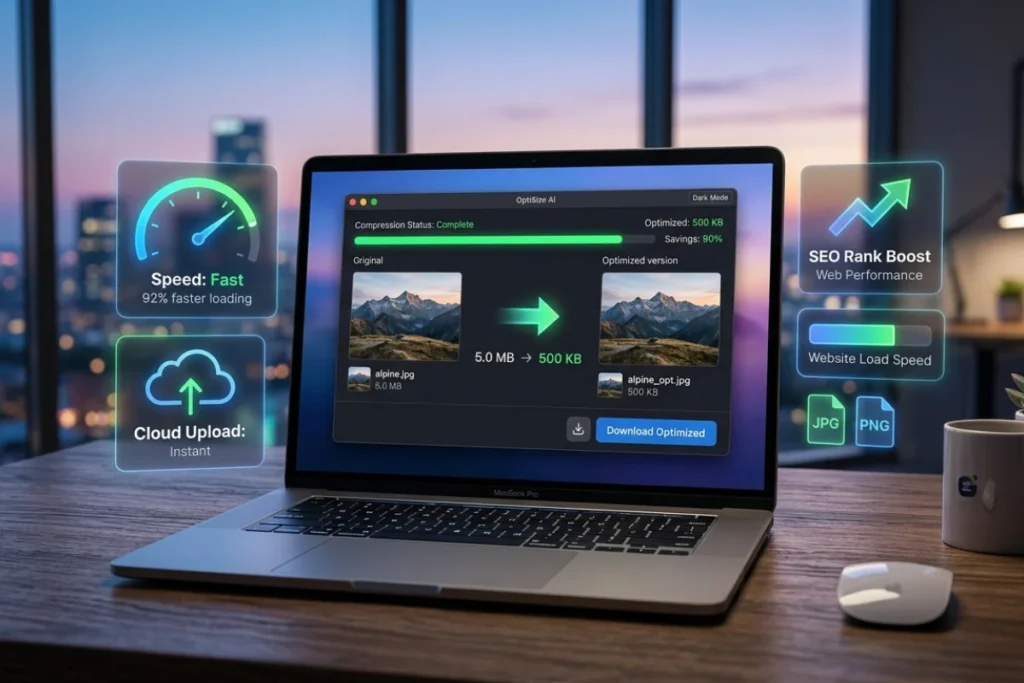
The good news? You don’t need a design degree or a hefty budget for professional software to solve this. Utilizing free online tools to compress and resize images allows you to shrink file sizes by up to 90% without any perceptible loss in visual quality. These platforms offer a seamless experience: no bulky downloads, no recurring subscriptions, and results in just a few clicks.

By integrating free online tools to compress and resize images into your standard workflow, you ensure your site remains lightweight and responsive. Whether you are a professional photographer, an eCommerce store owner, or a social media manager, managing your “digital weight” is essential for SEO success.

In this comprehensive guide, we are breaking down the top 8 free online tools to compress and resize images available today. We’ll explore how they function, what makes each platform unique, and how to select the perfect one for your specific needs—ensuring your website stays fast, clean, and competitive.

Let’s dive in.

Why Image Optimization Matters More Than You Think

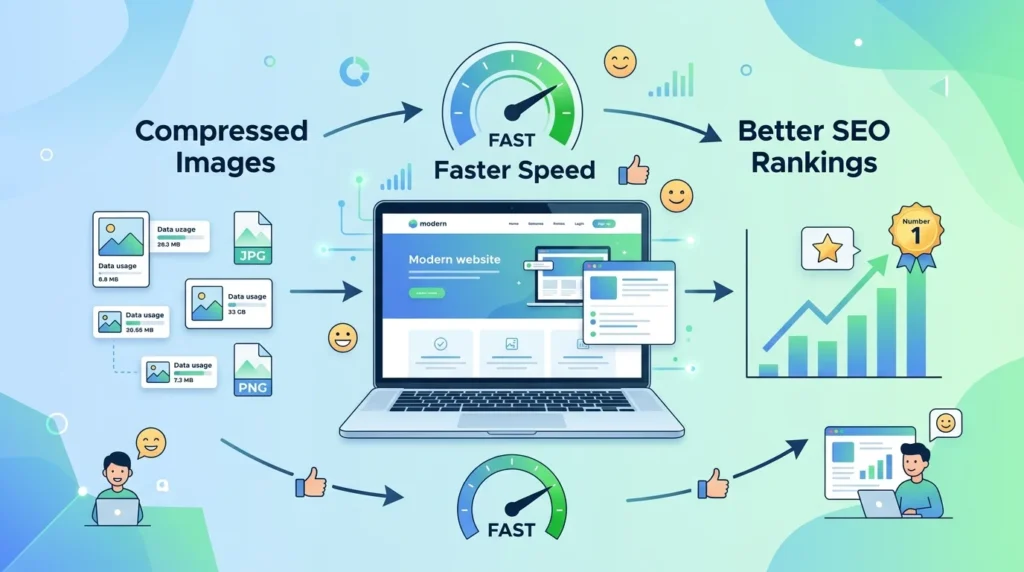
Infographic visualizing the dramatic reduction in file size for optimized images—saving up to 95%—to improve Core Web Vitals, page speed, and Google ranking.

Before we explore the specific platforms, it is crucial to understand why file management is a non-negotiable part of modern web strategy. In 2026, the digital landscape is faster and more competitive than ever, making efficiency a core requirement for visibility.

📉 Page Speed Is a Critical Google Ranking Factor

According to recent Google developer guidelines, page speed remains a primary ranking signal for both desktop and mobile search. Slow-loading pages are systematically ranked lower in search results—it is truly that straightforward.

Current data shows that images typically account for 65% to 78% of a webpage’s total weight. This means that utilizing free online tools to compress and resize images is one of the highest-impact SEO improvements you can implement. By reducing this “digital bloat,” you instantly improve your Core Web Vitals, specifically your Largest Contentful Paint (LCP) and Interaction to Next Paint (INP) scores.

📊 The Real Numbers Behind Image Bloat

Effective optimization doesn’t just save a few kilobytes; it transforms the entire user experience. When you use free online tools to compress and resize images, the performance gains are dramatic:

ScenarioUnoptimized SizeOptimized SizeTotal Savings
Blog Featured Image5.5 MB250 KB95%
eCommerce Product Page8.2 MB600 KB92%
Social Media Graphic4.1 MB320 KB92%
Portfolio Gallery25.0 MB2.1 MB91%

These are not just theoretical projections; these are the practical results achieved through modern compression algorithms. By choosing to free online tools to compress and resize images naturally, you reduce bounce rates and increase conversion potential. Users in 2026 expect a page to be fully interactive in under two seconds. If your heavy images prevent that, your visitors—and your revenue—will go elsewhere.

🧠 What’s the Difference Between Compressing and Resizing?

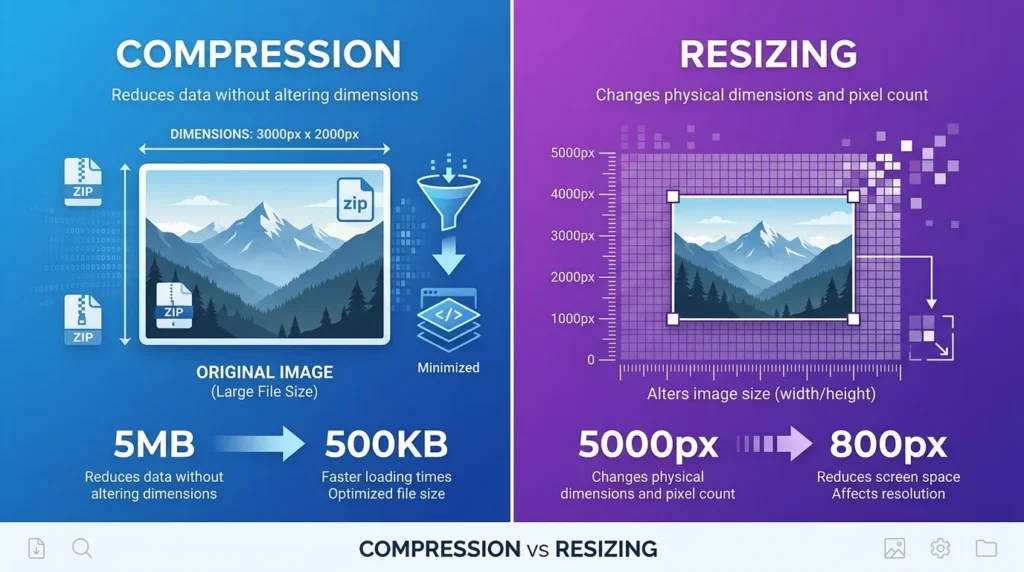
Many website owners and content creators often use the terms “compressing” and “resizing” interchangeably, but they represent two distinct technical processes. Understanding the nuance between them is the key to mastering page speed and visual clarity.

The Mechanics of Compression

Compression is the process of reducing an image’s digital footprint by optimizing its underlying data. This involves stripping away non-essential information—such as camera metadata (EXIF data), GPS coordinates, and redundant color profiles—without actually changing the physical dimensions of the photo.

There are two primary types: Lossy, which discards some data for maximum savings, and Lossless, which preserves every pixel exactly. Modern free online tools to compress and resize images utilize advanced algorithms like Brotli or MozJPEG to ensure that even with heavy file reduction, the human eye cannot detect any loss in quality.

The Mechanics of Resizing

Resizing, on the other hand, deals with the physical “footprint” of the image—its width and height in pixels. If you upload a 5000px wide photo into a blog container that is only 800px wide, you are forcing the browser to do extra work. By using free online tools to compress and resize images, you can scale the image down to the exact dimensions required for your layout. This prevents the browser from downloading unnecessary pixels, which is a major win for mobile performance.

Why You Need Both

For the most effective SEO strategy, you shouldn’t choose one over the other. The most efficient workflow involves first resizing the image to fit your website’s specific container and then applying a layer of compression. High-quality free online tools to compress and resize images allow you to perform both actions in a single step. This dual-action approach ensures you aren’t just making the image smaller in size, but also leaner in code, providing the fastest possible experience for your visitors.

What Makes a Great Free Image Compression Tool?

In 2026, the market is flooded with optimization software, but not all are created equal. To truly enhance your workflow and boost your SEO, you need a solution that balances power with simplicity. Here is what separates professional-grade free online tools to compress and resize images from the frustrating, outdated alternatives.

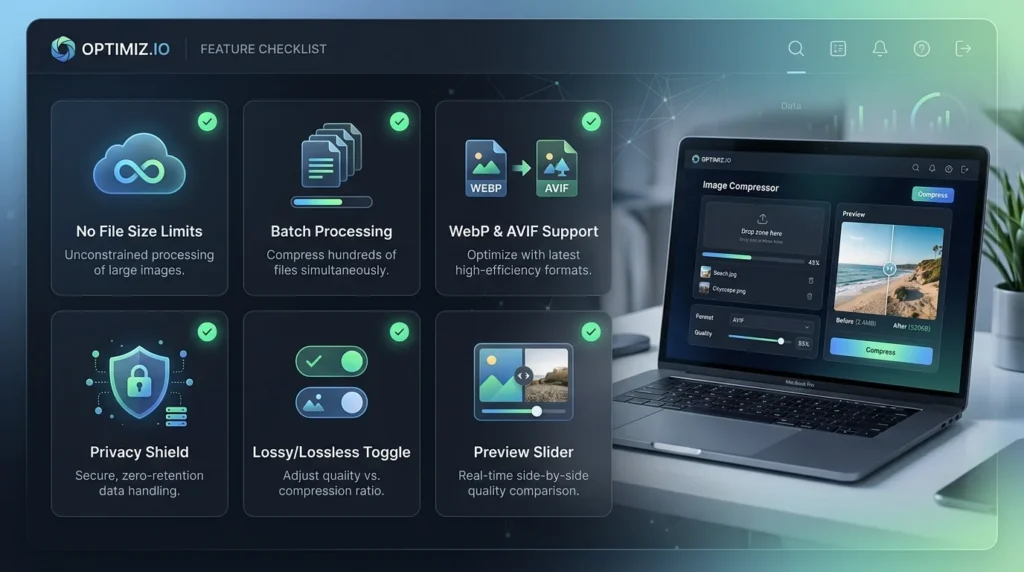
The Essential Feature Checklist

  • Zero File Size Limits: The best platforms don’t punish you for having high-resolution 4K photos. Look for tools that handle large 10 MB+ files without forcing a “Pro” upgrade.

  • Batch Processing Capabilities: Efficiency is key. You should be able to drag and drop dozens of files and let the tool process them simultaneously.

  • Modern Format Support: Beyond standard JPEGs and PNGs, your chosen free online tools to compress and resize images must support next-gen formats like WebP and AVIF, which offer superior savings for 2026 web standards.

  • Client-Side Privacy: Top-tier tools now use browser-based processing (WebAssembly). This means your images never leave your computer or upload to a server, ensuring 100% data security.

  • Lossy vs. Lossless Flexibility: Sometimes you need the smallest file possible (Lossy), and other times you need to preserve every pixel (Lossless). A great tool offers both.

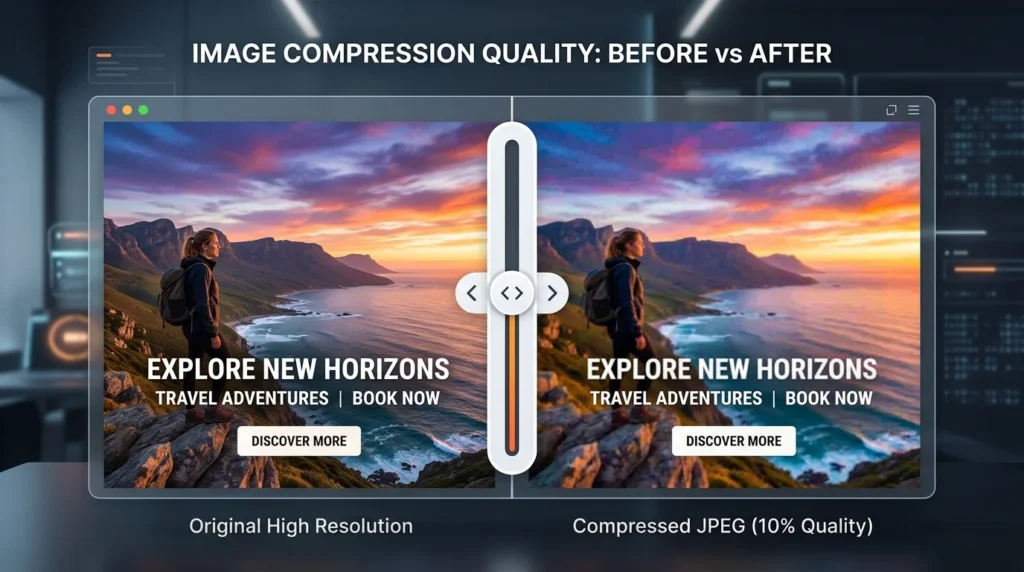
  • Instant Previews: A side-by-side comparison slider is vital for seeing exactly how your compression settings affect visual clarity before you hit download.

Why User Experience Matters

Technical specs are important, but accessibility is what keeps you productive. The premier free online tools to compress and resize images today require no mandatory sign-up or email verification. They provide a “clean” interface—free from intrusive ads or hidden watermarks—and offer fast processing speeds that leverage your own hardware acceleration.

Keep these strict criteria in mind as we walk through the top 8 tools below. Choosing a platform that hits all these marks will save you hours of manual work while keeping your website running at peak performance.

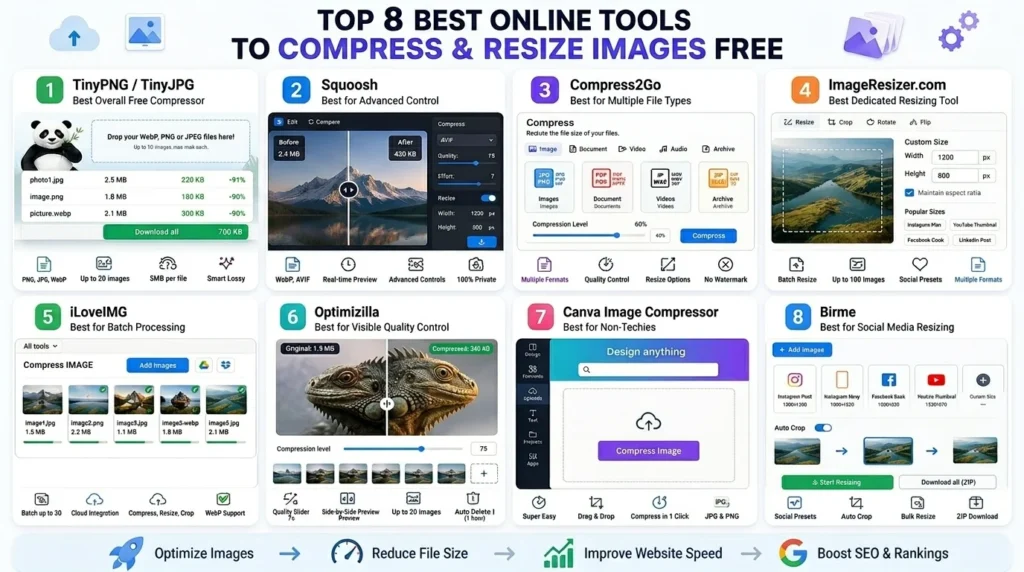
Top 8 Best Online Tools to Compress and Resize Images Free

Top 8 Best Online Tools to Compress and Resize Images Free
1. TinyPNG / TinyJPG — Best Overall Free Compressor

Website: tinypng.com

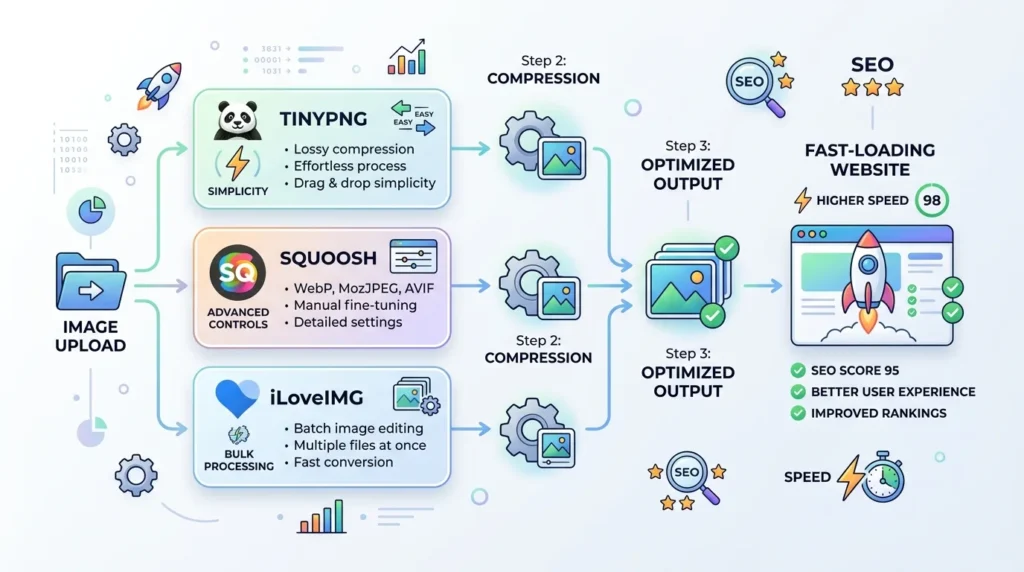
TinyPNG remains the gold standard for free online tools to compress and resize images due to its incredible balance of simplicity and performance. Using “smart lossy” compression, it reduces the number of colors in your image data to the smallest possible palette that the human eye cannot distinguish from the original.

Key Features

  • Multi-Format Support: Expertly handles PNG, JPEG, and WebP files.

  • Batch Processing: The free tier allows you to optimize up to 20 images simultaneously.

  • Size Limits: A generous 5 MB per file limit for free users.

  • Automation: Offers a dedicated WordPress plugin and a robust API for developers who want to automate their “free online tools to compress and resize images” workflow.

Best For: Bloggers and small business owners who want a “set-and-forget” tool that delivers high-quality results without fiddling with complex settings.

💡 Pro Tip: Use TinyPNG’s WordPress plugin to automatically compress every image you upload — no manual steps needed.


2. Squoosh — Best for Advanced Control

Website: squoosh.app (by Google)

If you are looking for the most powerful free online tools to compress and resize images, Squoosh is a masterpiece of web engineering. Created by the Google Chrome team, it runs entirely within your browser using WebAssembly. This means your images are never uploaded to a server, providing 100% privacy and lightning-fast local processing.

Key Features

  • Real-Time Comparison: A side-by-side “before and after” slider lets you see exactly how compression affects your quality.

  • Next-Gen Formats: Easily convert standard JPEGs into modern WebP or AVIF files, which offer superior savings.

  • Granular Controls: Manually adjust the “effort” level, palette reduction, and specific pixel dimensions.

  • 100% Private: Since it works offline after the page loads, it is one of the most secure free online tools to compress and resize images for sensitive client work.

Best For: Designers and developers who need to squeeze every possible kilobyte out of an image while maintaining pixel-perfect control.

💡 Pro Tip: Use Squoosh to convert images to WebP or AVIF format — these modern formats are 25–35% smaller than JPG with the same quality, and Google loves them. You can also use our Image to WebP Converter for a faster batch conversion experience.

3. Compress2Go — Best for Multiple File Types

Website: compress2go.com

When your workflow involves more than just photography, Compress2Go stands out as one of the most versatile free online tools to compress and resize images. Unlike specialized apps, this platform is a “Swiss Army knife” for compression, handling everything from standard web images to PDFs, videos, and even ZIP files.

Key Features

  • Broad Format Compatibility: Seamlessly optimizes JPG, PNG, GIF, SVG, and even document formats.

  • Flexible Control: Use a simple quality slider to find the sweet spot between file size and clarity.

  • Precision Resizing: Scale your images by a specific percentage or define exact pixel dimensions.

  • Clean Output: No hidden watermarks or mandatory registration, ensuring a professional workflow for every user.

Best For: Freelancers and small business owners who need a centralized hub to manage various file types without jumping between different web utilities.

💡 You can also try our Image Resizer Pro Max for advanced editing features like smart cropping, background removal, and preset size templates for every major social platform.


4. ImageResizer.com — Best Dedicated Resizing Tool

Website: imageresizer.com

While many free online tools to compress and resize images prioritize the “squeeze,” ImageResizer.com is engineered for those who need surgical precision with dimensions. This tool is a favorite for digital marketers who must adhere to strict pixel requirements for ad banners and social headers.

Key Features

  • High-Volume Batching: You can batch resize up to 100 images simultaneously, saving hours of manual labor.

  • Pro Editing Suite: Beyond resizing, the tool offers integrated cropping, flipping, and rotating features to polish your visuals.

  • Social Presets: Quickly select target sizes for platforms like Instagram, LinkedIn, or YouTube with a single click.

  • Format Flexibility: Supports the bulk conversion and resizing of JPG, PNG, GIF, BMP, and TIFF files.

Best For: eCommerce entrepreneurs on platforms like Shopify or Amazon who require perfectly uniform product photos across their entire catalog. Using free online tools to compress and resize images like this one ensures that your shop looks professional and cohesive while loading instantly for customers.

5. iLoveIMG — Best for Batch Processing

Website: iloveimg.com

If your workflow involves managing massive libraries of content, iLoveIMG is the “workhorse” you need. It is designed specifically for efficiency, offering a suite of 10+ utilities that handle everything from basic optimization to complex format conversions. Unlike many other free online tools to compress and resize images, iLoveIMG excels at handling dozens of files simultaneously with a remarkably stable interface.

Key Features

  • Cloud Connectivity: Seamlessly import and export files directly from Google Drive or Dropbox.

  • Batch Efficiency: The free tier allows you to process up to 30 images in a single task—perfect for refreshing an entire blog gallery.

  • All-in-One Utility: Beyond shrinking files, you can crop, rotate, and add watermarks in the same browser session.

  • Next-Gen Support: It fully supports modern formats like WebP, ensuring your batch-processed images are ready for 2026 search engine standards.

Best For: Social media managers and content teams who need to prepare large volumes of media across multiple platforms quickly.


6. Optimizilla — Best for Visible Quality Control

Website: imagecompressor.com

Optimizilla (also known as ImageCompressor) is arguably the most intuitive of all free online tools to compress and resize images when you need to maintain a specific aesthetic. Its standout feature is a dual-pane preview window that allows you to see the original image and the compressed version side-by-side in real-time.

Key Features

  • Granular Quality Slider: Use a simple 1–100 scale to find the exact point where file size drops without ruining the visual details.

  • Visual Verification: Click on any thumbnail in your queue to instantly see how your current settings affect that specific photo.

  • Safe Storage: To ensure your data remains secure, the platform automatically purges all uploaded files from its servers within one hour of processing.

  • No Hidden Costs: You get full access to the quality slider and batch uploads (up to 20 files) without needing an account or facing watermarks.

Best For: Professional photographers and high-end designers who require “eyes-on” approval for every single kilobyte saved to ensure their portfolio remains pixel-perfect. Utilizing free online tools to compress and resize images with this level of control prevents any “compression artifacts” from reaching your live site.

7. Canva Image Compressor — Best for Non-Techies

Website: canva.com/features/image-compressor

Canva has revolutionized digital design, and their integrated optimization utility is no exception. For users who find technical jargon like “lossy” or “metadata” intimidating, this is one of the most accessible free online tools to compress and resize images. It allows you to maintain a creative flow by optimizing your visuals within the same ecosystem where you design them.

Key Features

  • Seamless Integration: Go from designing a social media post to compressing the final file in seconds.

  • Drag-and-Drop Workflow: An incredibly intuitive interface designed for absolute beginners.

  • Universal Compatibility: Handles standard JPG and PNG formats with ease, ensuring your graphics are web-ready.

  • Zero Learning Curve: No complex sliders—Canva handles the heavy lifting to ensure your images look sharp while remaining lightweight.

Best For: Bloggers, educators, and small business owners who prioritize ease of use and want to manage their visual assets without leaving their primary design platform.


8. Birme — Best for Social Media Resizing

Website: birme.net

BIRME, which stands for “Bulk Image Resizing Made Easy,” is a powerhouse for high-volume content creators. In the fast-paced world of digital marketing, it stands out among free online tools to compress and resize images due to its focus on speed and platform-specific presets. It eliminates the guesswork of remembering exact pixel requirements for various social networks.

Key Features

  • Intelligent Auto-Cropping: Automatically detects the focal point of your photo to ensure it stays centered when changing aspect ratios.

  • Platform Presets: Features built-in templates for Instagram, Facebook, and YouTube, making it easy to create multi-platform campaigns.

  • Unlimited Batching: Process a virtually unlimited number of files simultaneously and download them all in a single, organized ZIP folder.

  • Custom Flexibility: While it offers presets, you still have full control to set custom pixel dimensions and quality levels for specialized projects.

Best For: Social media managers and influencers who need to repurpose a single set of images for multiple platforms daily. By leveraging free online tools to compress and resize images like Birme, you can ensure your content looks professional on every screen size without manual, one-by-one editing.

💡 If you need to turn short video clips into social-ready content, check out our Video to GIF Converter — perfect for creating lightweight animated content for Twitter, Reddit, and Discord.
Full Tool Comparison Table

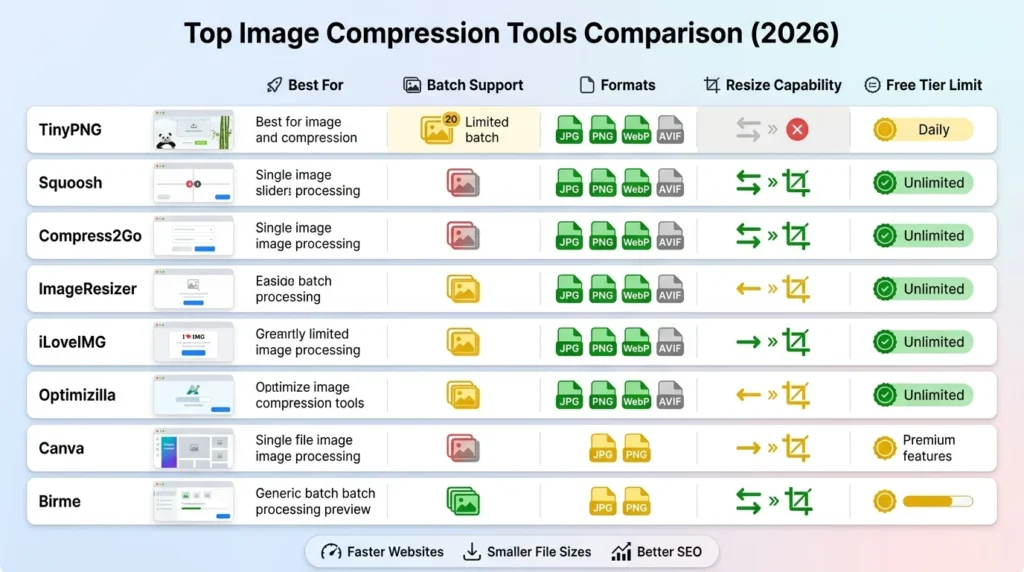
Comparison table of top free online tools to compress and resize images showing features and capabilities

Selecting the right platform can be overwhelming with so many options available. To help you streamline your workflow, we’ve synthesized the data into a clear, comparative format. Whether you prioritize privacy, batch capacity, or next-gen format support, these free online tools to compress and resize images offer diverse solutions tailored to specific professional needs.

Below is a breakdown of how the top contenders stack up in the current digital landscape:

ToolBest ForBatch SupportPrimary FormatsResize CapabilityFree Tier Limit
TinyPNGOverall Ease20 ImagesPNG, JPG, WebPBasic20 per session
SquooshTechnical Control1 ImageAVIF, WebP, JPGAdvancedUnlimited
Compress2GoMulti-file TypesYesJPG, PNG, GIF, PDFYesGenerous
ImageResizerBulk Resizing100 ImagesJPG, PNG, GIF, BMPProfessional100 per batch
iLoveIMGBulk WorkflowUnlimitedJPG, PNG, GIF, WebPYesUnlimited
OptimizillaQuality Control20 ImagesJPG, PNGNo20 per session
CanvaDesign BeginnersLimitedJPG, PNGBasicFree version
BirmeSocial MediaUnlimitedJPG, PNGAdvancedUnlimited

How to Choose Your Tool

If you are managing a high-traffic blog, free online tools to compress and resize images like TinyPNG or iLoveIMG are likely your best bet for speed and efficiency. However, if you are a developer looking to push the boundaries of performance, Squoosh offers the most advanced encoding options for cutting-edge formats like AVIF.

For those in the eCommerce space, having free online tools to compress and resize images that offer batch resizing, such as ImageResizer or Birme, is a game-changer. These tools ensure that every product photo maintains a uniform aspect ratio, which is vital for a clean, professional storefront. By matching the tool to your specific project requirements, you can significantly reduce your page load times and improve your site’s overall SEO health.

How to Compress and Resize Images Free: Step-by-Step Guide

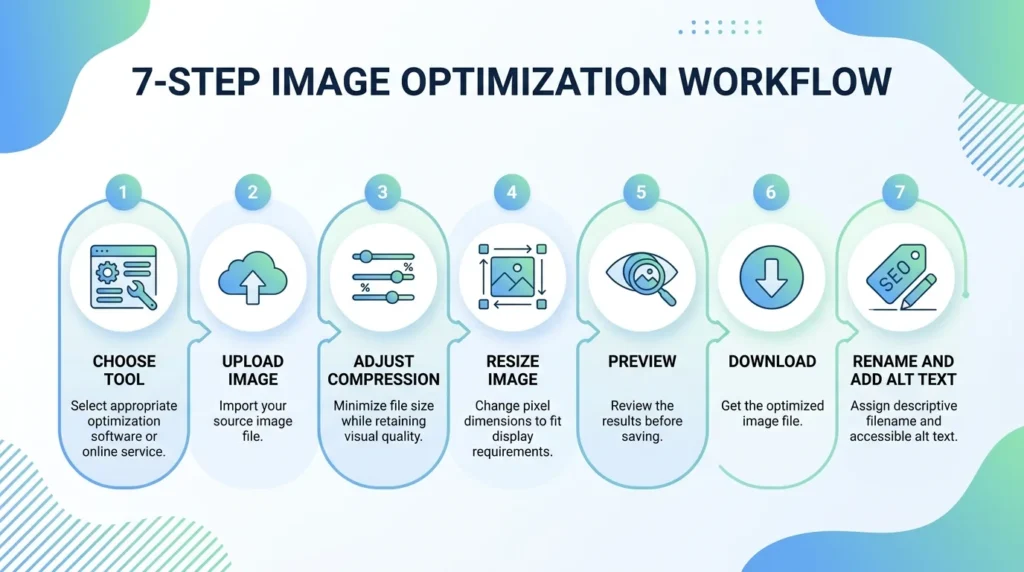
Here’s a universal step-by-step workflow you can follow with most of the tools listed above:

Step 1: Choose Your Tool

Based on your use case — blogging, eCommerce, social media — pick the right tool from the list above.

Step 2: Upload Your Image

Drag and drop your image(s) directly into the tool’s upload area. Most tools accept JPG, PNG, and WebP.

Step 3: Set Compression Level

Choose between:

  • Lossless — no quality change, smaller reduction
  • Lossy — slight quality change, much larger reduction (recommended for web)

Step 4: Resize If Needed

Set your target dimensions in pixels or as a percentage. For most websites:

  • Blog images: 1200 × 628 px
  • Product images: 800 × 800 px
  • Thumbnails: 300 × 300 px

Step 5: Preview and Download

Check the preview. If quality looks good, download your optimized image.

Step 6: Rename Your File

Before uploading to your site, rename the file with a descriptive, keyword-rich name (e.g., compress-resize-images-free-tool.jpg).

Step 7: Add Alt Text

When uploading to your CMS, always add descriptive alt text. This is a critical on-page SEO signal. According to Moz’s SEO learning resources, alt text helps search engines understand image content and improves accessibility.

How Image Compression Directly Boosts Your SEO

Understanding the technical relationship between site speed and search visibility is essential for any web strategy. Beyond just saving disk space, utilizing free online tools to compress and resize images serves as a direct lever for improving your rankings on the Search Engine Results Pages (SERPs).

✅ Faster Page Load = Better Rankings

Google’s Core Web Vitals prioritize the Largest Contentful Paint (LCP), which measures how quickly the main content of a page becomes visible to a user. Because unoptimized media is often the heaviest element on a site, it is the primary cause of poor LCP scores. By implementing free online tools to compress and resize images, you directly optimize this metric, signaling to Google that your site is high-performing and user-centric.

✅ Lower Bounce Rate and Enhanced Engagement

In 2026, user patience is at an all-time low. Statistics consistently show that visitors will abandon a page if it fails to load within three seconds. A high bounce rate signals to search engines that your content might not be relevant or accessible. Using free online tools to compress and resize images ensures that your pages remain snappy, keeping visitors engaged longer and encouraging them to explore more of your content.

✅ Better Mobile Experience and Crawl Efficiency

With mobile-first indexing, the mobile performance of your site is the primary factor in your ranking. Heavy images can cripple a mobile user’s experience, especially on slower 4G or 5G connections. Compression resolves this by delivering high-quality visuals at a fraction of the data cost.

Furthermore, Google operates on a “crawl budget.” If your site is bogged down by massive image files, search bots spend more time waiting for pages to load and less time indexing your new content. Efficient image management ensures that your entire site is indexed faster and more frequently. By making your assets leaner, you create a frictionless path for both users and search engine crawlers, resulting in a healthier, more visible digital presence.

Use Cases: Who Needs These Tools?

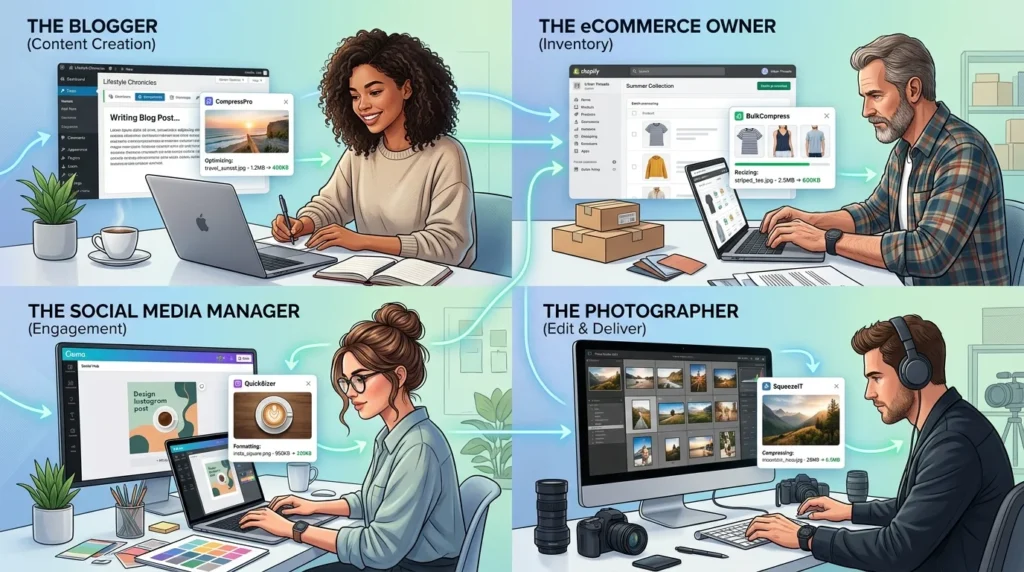
In the fast-paced digital ecosystem of 2026, efficiency and performance are the pillars of success. Whether you are building a brand or managing a portfolio, utilizing free online tools to compress and resize images is a fundamental skill that transcends industries. Here is how different professionals leverage these utilities to gain a competitive edge.

📝 Bloggers & Content Creators

For those running a WordPress or Ghost site, every millisecond counts. High-resolution featured images and infographics can quickly bloat your database, leading to sluggish load times. Savvy creators use free online tools to compress and resize images like TinyPNG or iLoveIMG to batch-process their media before uploading, ensuring their articles remain snappy and SEO-friendly.

🛒 eCommerce Store Owners

In online retail, speed directly impacts your bottom line. Massive product photos are the primary cause of cart abandonment. By using free online tools to compress and resize images, store owners can standardize their catalog dimensions and shrink file sizes, ensuring that high-intent shoppers on mobile devices enjoy a frictionless checkout experience.

📱 Social Media Managers & Designers

Managing multiple platforms requires constant adaptation. Tools like Birme offer presets for Instagram, LinkedIn, and X, making it effortless to resize one asset for every channel. Meanwhile, graphic designers rely on the advanced format support of Squoosh to export files in AVIF or WebP, providing developers with pixel-perfect assets that don’t compromise site speed.

📸 Photographers & Developers

Photographers often fear that compression will ruin their art. However, tools like Optimizilla provide side-by-side quality comparisons, allowing for significant file reduction without any perceptible loss in detail—perfect for delivering client galleries. For web developers, the ability to automate these processes via APIs means that image optimization becomes a seamless part of the deployment pipeline. Regardless of your role, mastering these free online tools to compress and resize images is the most effective way to maintain a modern, high-performance web presence.

Common Mistakes to Avoid When Compressing Images

Even with access to the most powerful free online tools to compress and resize images, it is easy to fall into traps that can undermine your SEO and user experience. Optimization is a delicate balance between technical efficiency and visual integrity. Here are the most common pitfalls to avoid.

❌ Over-Compressing for Maximum Savings

It is tempting to push your quality slider to the lowest possible setting to save every kilobyte. However, over-compression creates “artifacts”—those distracting blurs and pixelated blocks that make your site look unprofessional. Always use the preview features available in free online tools to compress and resize images to ensure your visuals remain crisp before finalizing the download.

❌ Uploading Massive Dimensions

One of the biggest mistakes is uploading a 6000px wide image and using code to display it at 800px. Even if the file size is compressed, the browser still has to work to scale that image down. Always use free online tools to compress and resize images to set the actual physical dimensions to the exact width needed for your layout.

❌ Ignoring Next-Gen Formats and SEO Basics

Sticking exclusively to JPEGs in 2026 is a missed opportunity. WebP and AVIF formats offer significantly better compression ratios. Furthermore, many users forget that optimization doesn’t end with the file size. Failing to rename your files from generic strings like “IMG_001.jpg” to descriptive, keyword-rich titles—and skipping the “alt text”—wastes valuable SEO real estate.

❌ Multi-Stage Compression Degradation

Never run a file through multiple optimization platforms. Compression is a “lossy” process; doing it twice results in exponential quality loss. Always keep your high-resolution original as a master file and use free online tools to compress and resize images just once to create your web-ready version. By avoiding these errors, you ensure that your website remains both lightning-fast and visually stunning.

FAQs: Best Online Tools to Compress and Resize Images Free

Navigating the world of web optimization can be complex, but choosing the right utility doesn’t have to be. Below are the most frequently asked questions regarding how to effectively use free online tools to compress and resize images to enhance your website’s performance and SEO.

❓ What is the best free online tool to compress and resize images?

For the majority of users, TinyPNG is the top choice for its “set-and-forget” simplicity and reliable results. However, if you require granular control over encoding settings or need to work with next-gen formats like AVIF, Squoosh is considered the premier professional option.

❓ Does compressing images affect visual quality?

It depends on the method used. Lossless compression reduces the file size without changing a single pixel, while lossy compression removes redundant data to achieve much smaller files. When using high-quality free online tools to compress and resize images, the quality reduction in lossy mode is typically invisible to the human eye.

❓ Is it safe to upload my photos to these platforms?

Yes, reputable platforms are very secure. Most tools, such as iLoveIMG, automatically purge your files from their servers within an hour. For those with strict privacy requirements, Squoosh is the safest choice as it processes everything locally in your browser, meaning your data never even reaches a server.

❓ What is the ideal image size for a blog post?

To maintain fast load times in 2026, aim for the following benchmarks:

  • Hero Images: 1200 x 628 px (Under 200 KB)

  • Inline Content: 800 x 500 px (Under 100 KB)

  • Thumbnails: 300 x 200 px (Under 50 KB)

❓ How does this impact my Google rankings?

Optimization is a major factor for Core Web Vitals. By using free online tools to compress and resize images, you directly improve your Largest Contentful Paint (LCP) score. Faster loading times lead to better mobile rankings and a significantly lower bounce rate.

Conclusion: Start Compressing Smarter Today

In the high-speed digital landscape of 2026, heavy images are the silent killers of website performance. They bloat your pages, frustrate your mobile users, and drag down your search engine rankings. Most website owners remain unaware that their stunning visuals are actually driving visitors away. However, as we have explored, the solution is remarkably simple and costs absolutely nothing.

By integrating free online tools to compress and resize images into your daily publishing routine, you can transform a sluggish, underperforming site into a lightning-fast experience. Whether you prefer the simplicity of TinyPNG, the advanced format flexibility of Squoosh, or the massive bulk capabilities of iLoveIMG, there is a perfect fit for every workflow. These platforms ensure that your site remains competitive without requiring you to invest in expensive design software or complex server-side scripts.

Your Fast-Track Optimization Checklist

To get the most out of free online tools to compress and resize images, follow this streamlined action plan for every piece of content you produce:

  • Select Your Utility: Choose a tool based on whether you need simple compression, advanced formatting, or bulk social media resizing.

  • Optimize Intelligently: Aim for a 60–80% reduction in file size to maximize speed while maintaining visual clarity.

  • Scale for Precision: Resize your images to the exact pixel dimensions required by your layout to avoid wasted bandwidth.

  • Prioritize SEO Basics: Always rename your files with descriptive keywords and include relevant alt text during the upload process.

The best time to optimize your media was the day you launched your site; the second-best time is right now. By consistently using free online tools to compress and resize images, you are making a long-term investment in your site’s health, accessibility, and search engine visibility. Start slimming down your digital assets today and watch your page speed scores—and your engagement metrics—reach new heights.

Ready to speed up your website and boost your SEO?

👉 Start with our Image Resizer Pro Max for smart, fast resizing with platform presets, or use our Image to WebP Converter to serve next-gen formats your visitors and Google will love.

No sign-up. No watermark. No excuses. Compress your first image in seconds →

Best Next

Leave a Comment

Your email address will not be published. Required fields are marked *

Scroll to Top